Encrypting the AppViewX Master Key using the User's Master Key
AppViewX offers the ability to encrypt the AppViewX Master Key using the User's Master
Key stored in the User's Hardware Security Module (HSM). This delegation of control over
all data to the user enhances the confidentiality and security of sensitive information.
With this option enabled, AppViewX can only access sensitive data if the User's Master
Key is available and valid.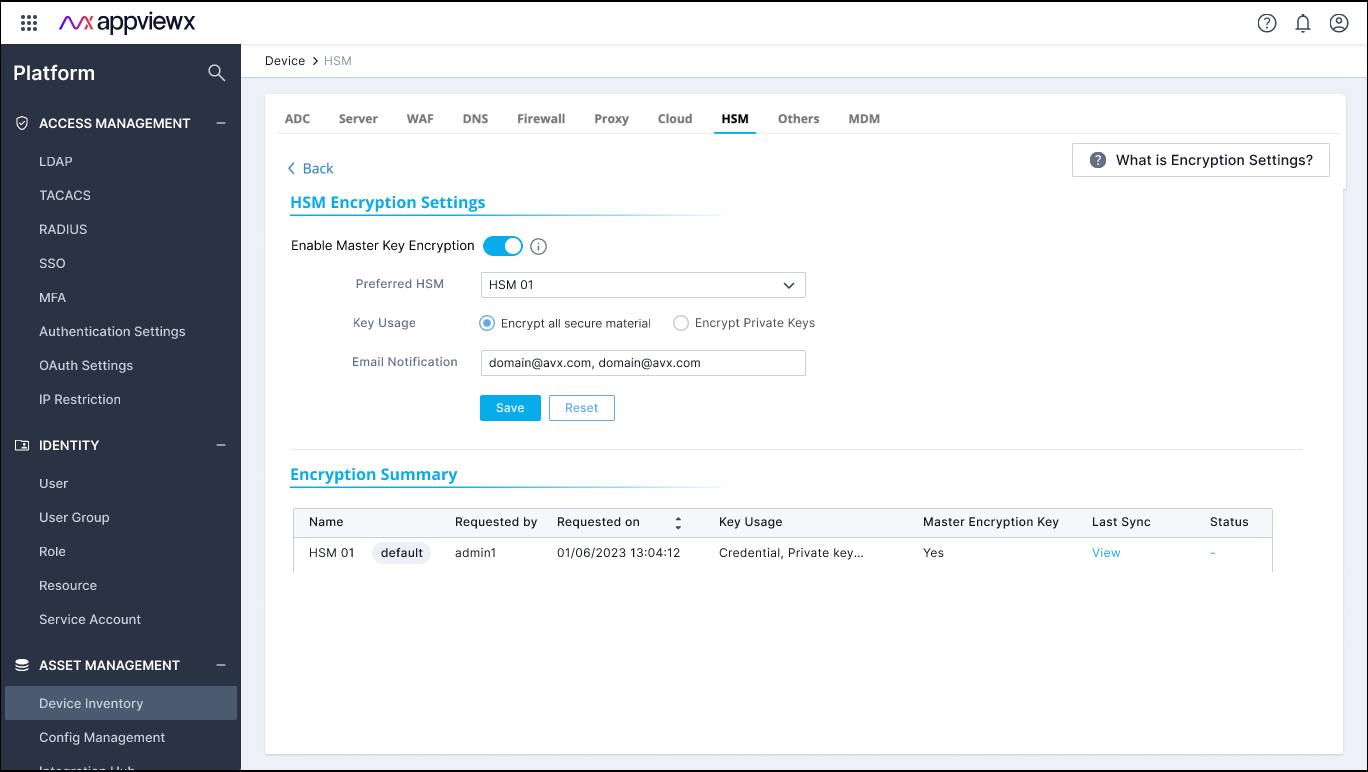
When the user chooses to encrypt the AppViewX Master Key using the User's Master Key
stored in the HSM, AppViewX executes the following steps: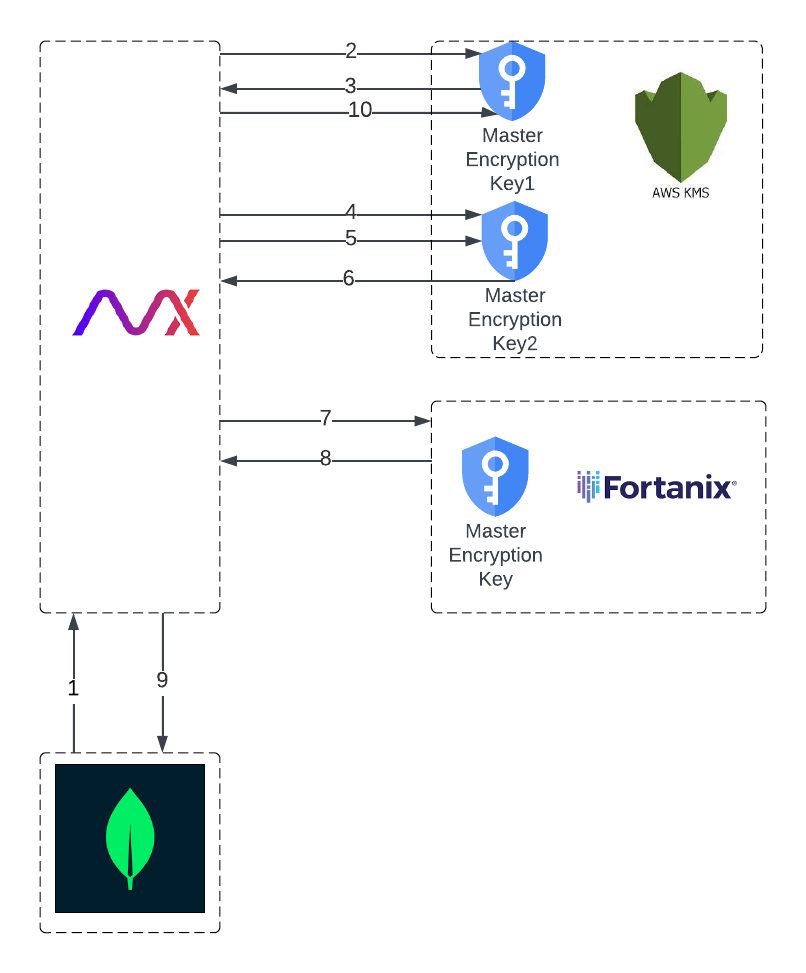
- Retrieve the existing KMS-encrypted Master Encryption Key (MEK) from the tenant's database.
- Decrypt the AppViewX MEK using the MEK (Master Encryption Key 1) created during tenant onboarding in the KMS.
- Retrieve the plaintext AppViewX MEK.
- Generate a new MEK (Master Encryption Key 2) in the KMS.
- Encrypt the AppViewX MEK using the MEK 2 in the KMS.
- Retrieve the KMS-encrypted AppViewX MEK.
- Encrypt the KMS-encrypted AppViewX MEK using the User’s Master Key in the HSM.
- Retrieve the double-encrypted AppViewX MEK.
- Update the new double-encrypted AppViewX MEK in the database, replacing the previous KMS MEK encrypted ciphertext in the tenant's database.
- Schedule the Master Encryption Key 1 for deletion to ensure that any previous data backups are invalidated.
Note: It is important to note that the AppViewX Master
Encryption Key is stored only in its encrypted form within the tenant's database and
is not paged or stored elsewhere.