Configuring Syslog Purge Limit
Syslog purge limit enables to limit of the number of Syslog persisted against a device. The oldest logs will be automatically deleted on exceeding the limit.
To configure the Syslog purge limit,
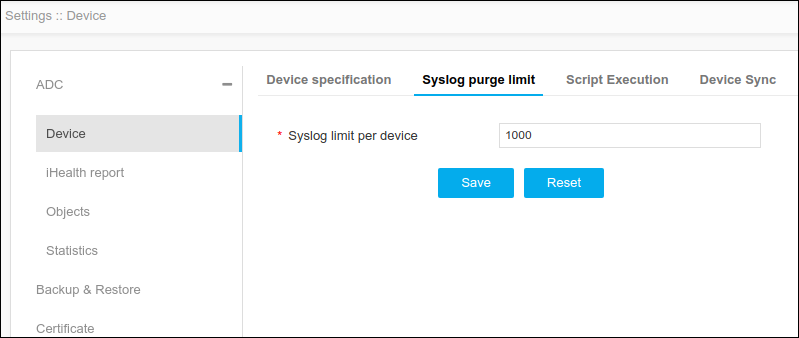
- Click Menu >ADC+ > SETTINGS > Module Settings > ADC > Device > Syslog purge limit tab.
-
On the Syslog purge limit tab, specify the syslog limit per device. By
default, the limit is set to 1000 and can be extended till 5000.
-
Click Save.
Note: To reset the changes, click Reset.