iControl
- To integrate the iControl library into required project, copy the library and past it into: cd <user_home_dir>/installer/external_libs/ folder (create a folder if the folder does not exist).
- Visit devcentral f5 download page URL: https://devcentral.f5.com/s/articles/iControl-Library-For-Java-With-Source.
-
Download the latest iControl integration library file from the list of libraries.
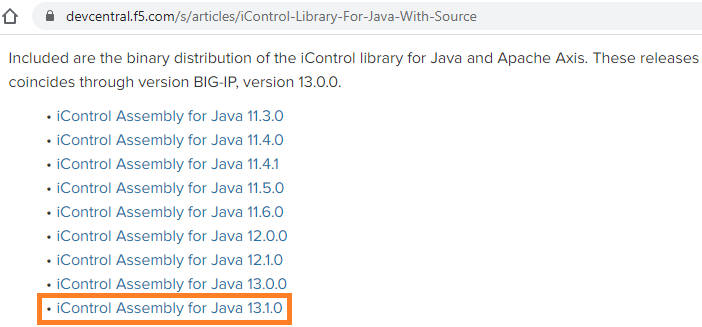
- Extract the downloaded zip file use path: Extract to iControlAssembly_13_1_0-Java\.
-
Copy the iControl.jar file from the extracted package to the
external_libs directory.
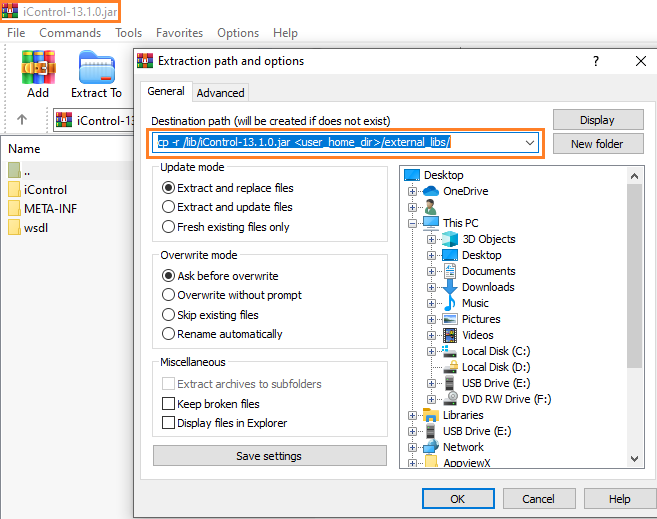
- If AppViewX is already installed or upgraded from an earlier verion of AppViewX,
move the iControl-13.1.0.jar file to cp -r /lib/iControl-13.1.0.jar
<user_home_dir>/external_libs/ directory.
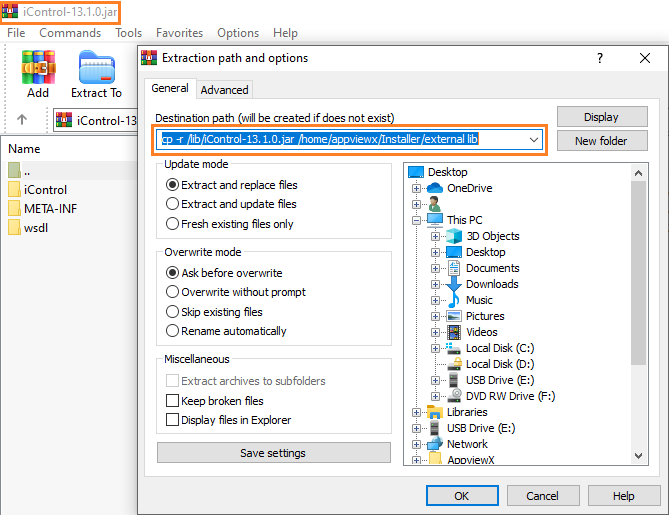
- If AppViewX is not installed, move the iControl-13.1.0.jar file to cp -r
/lib/iControl-13.1.0.jar /home/appviewx/Installer/external lib directory.
- If AppViewX is already installed or upgraded from an earlier verion of AppViewX,
move the iControl-13.1.0.jar file to cp -r /lib/iControl-13.1.0.jar
<user_home_dir>/external_libs/ directory.
- If multi node environment, copy the iControl-13.1.0.jar file to all the servers where the avx_vendors is running.
-
Restart the avx_vendors plugin followed by the gateway:
appviewx --restart plugins avx_vendors
appviewx --restart gateway