Pre-requisites
Web Browser Requirement
| Browsers | Version |
|---|---|
| Internet Explorer | v11.0.9600.18817 or later |
| Firefox | v74.0.1 (64-bit) or later |
| Google Chrome | v85.0.4183.83 (64-bit) or later |
Accessing the CERT+
Steps to access the CERT+,
-
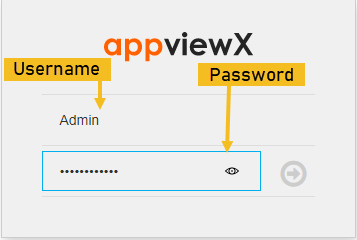
Log in to AppViewX with a valid credential (URL provided by AppViewX).
The AppViewX Landing page appears.
-
Click menu button located in the upper left corner of the screen.
-
Click CERT+ on the left navigation bar.
CERT+ Home Page
The CERT+ home page contains necessary features for the certificate lifecycle management as shown on the image.
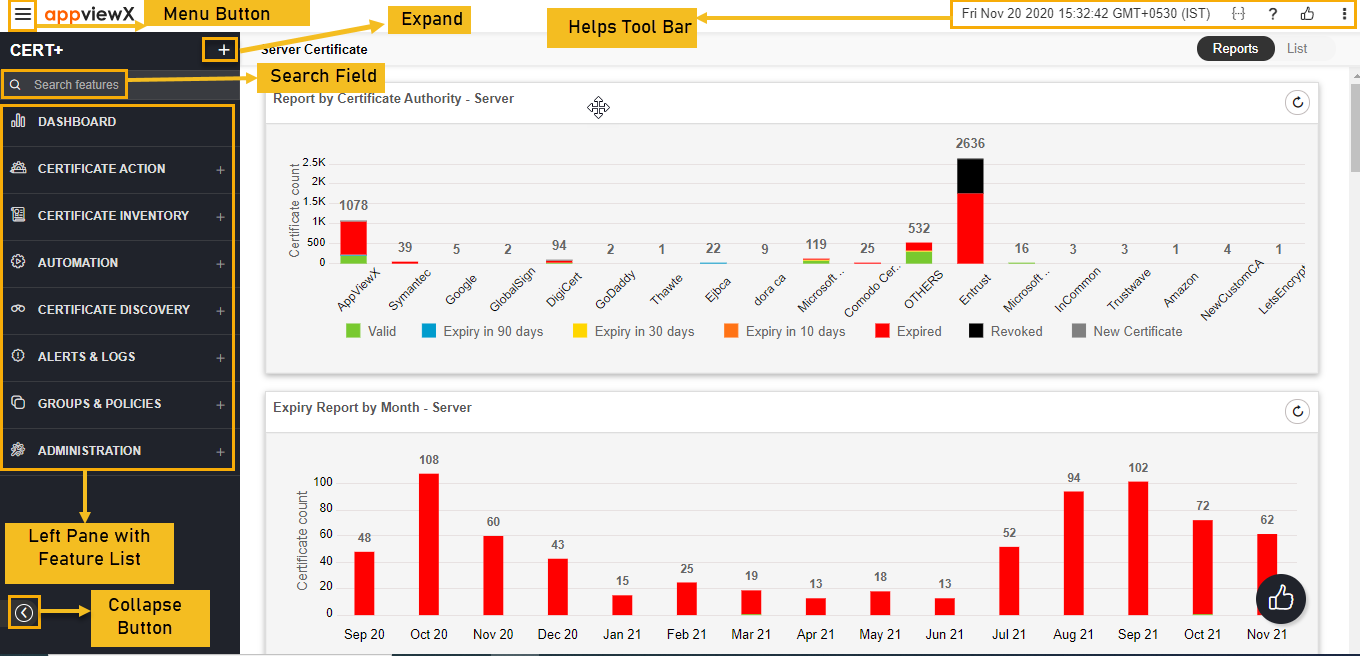
The following table describes the options available in the CERT+ home page:
| Options | Description | ||||||
|---|---|---|---|---|---|---|---|
| Menu button |
Displays the left navigation pane of the AppViewX. |
||||||
| Expand/Collapse |
Expands/Collapses all the options, which are on the left navigation pane. |
||||||
| Search Field |
Searches for the given key word(s) in the field and results the feature that matches the search key word(s). |
||||||
| Left Navigation Pane |
Displays all the features available in the CERT+. |
||||||
| Collapse/Expand |
Hides/Displays the left navigation pane. |
||||||
| Helps Tool Bar |
Use the tool-bars for the additional options:
|