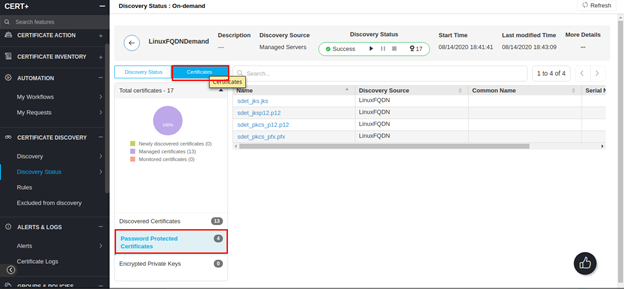
Password Protected Certificates
Password mismatch or password unavailable in the vault for the password-protected certificates that are discovered will be under the password-protected certificates section.
- Log in to the AppViewX application with valid credentials.
-
Click on the menu button.
The left navigation pane appears.
-
Click CERT+.
The CERT+ left navigation pane appears.
- Navigate to > CERT+ > CERTIFICATE DISCOVERY.
- Under Certificate Discovery, navigate to Discovery Status > OnDemand.
- Click on the discovery name under discovery inventory.
- Click Certificates under the tab.
-
To view all password-protected certificates, click Password Protected
Certificates.