Unassigning Code Signing Certificate Group
The user can unassign any certificates from the specific group to the default group. The policy and actions of the default group will be applied to these certificates.
To unassign the code signing certificate group,
- Log in to AppViewX application with valid credentials.
-
Click the menu button located in the upper left corner of the screen.
The left navigation pane appears.
-
Click CERT+.
The CERT+ left navigation pane appears.
- Expand CERTIFICATE INVENTORY.
-
Click Code Signing Certificate.
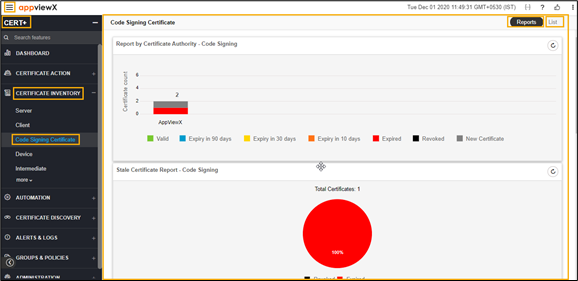
The Code Signing Certificate page appears.
-
Click the List toggle button on the right top corner of the client
certificate page.
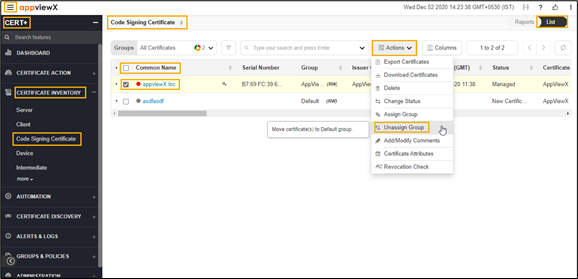
- In the Common Name column certificate list, select the desired certificate that you want to unassign the group.
- Click Actions, and then select Unassign Group from the drop-down list.
-
The selected certificate is assigned to the default group.
The pop-up message appears as <certificate_name> assign to undefined.