Managing Service Account
-
To access the navigation pane, in the top-left corner of the screen, hover the
mouse pointer over the
 icon.
icon.
-
From the menu displayed, click Account >
Service Account.
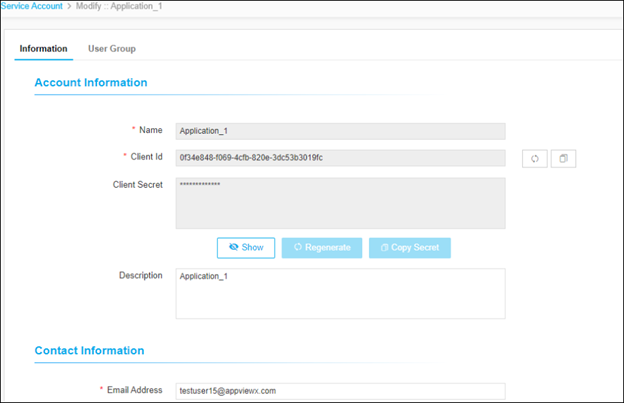
The screenshot below shows an existing Service Account. The secret is hidden by default. The client credentials can be copied using the corresponding copy buttons. The Client ID and Client Secret can be regenerated anytime using the corresponding regenerate buttons. When a Client ID is regenerated, the corresponding Client Secret is also regenerated. The Access tokens generated by the previous set of Client ID and Client Secret will still work until the token gets expired.
-
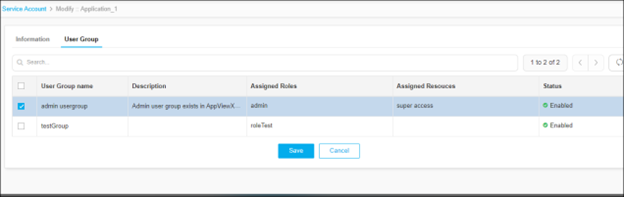
To define the access privileges and scope for this service account, assign the
required User Groups to this account.