Jump to main content
Assign/unassign devices
-
Login to the AppViewX application with valid credentials.
-
Select Menu > ADC+ > ASSET MANAGEMENT > Device
Group.
-
From the Group page, select the device group to be modified and click
the Modify icon to navigate to the Group Modification page.
-
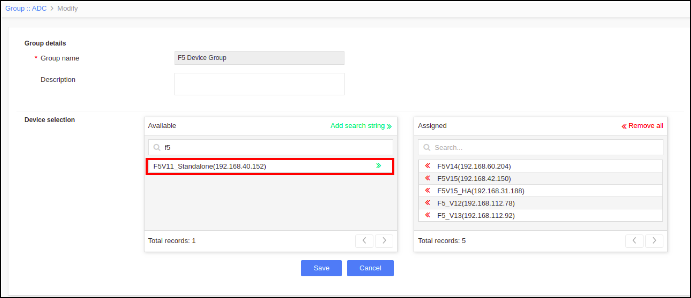
To assign devices in the group, search for the device and select the devices
under the Available list.
-
To unassign devices in the group, search for the device and select the devices
under the Assigned list.
-
Click Save.