Issues in Certificate Discovery
Issues in the Certificate Discovery
- Log in to AppViewX application with valid credentials.
- From the left pane, expand the menu and click Cert+. The Server Certificate page is displayed.
- From the left pane, expand Certificate Discovery, select Discovery.
-
Click Cloud Scan.
Note: To discover certificates from Managed cloud accounts, the cloud account should be managed under the AppViewX Inventory.
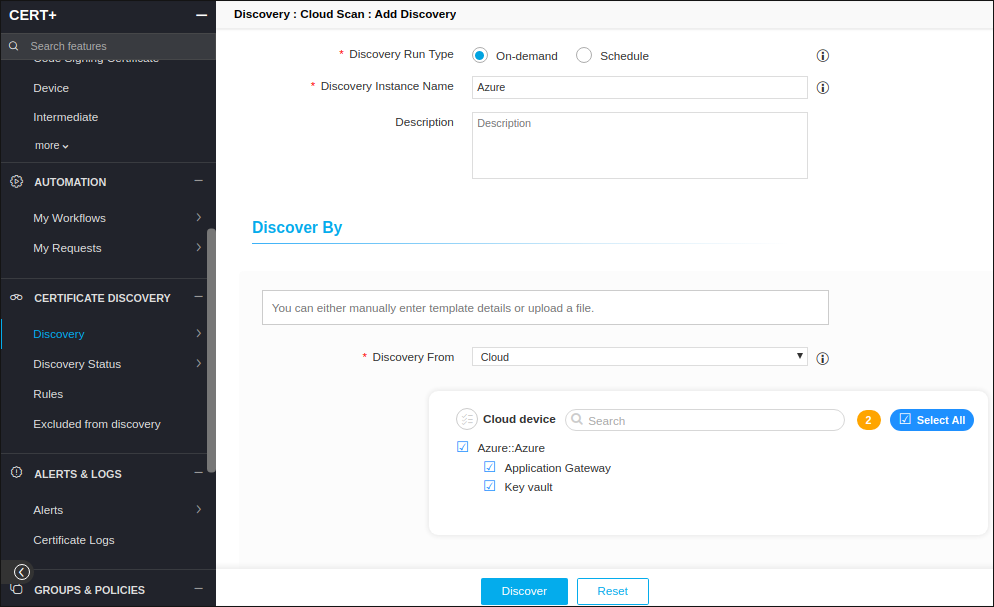
Error Messages
| Error Message | Possible Cause | Possible Solution |
|---|---|---|
| Please provide information as required |
|
|
| Please select a devices | No cloud account is selected in the “Discover By” section. | Select at least one device to discover certificates from. |
| Discovery Status Failed |
Check internet /Proxy connection is provided in AppViewX node. |
Login to AppViewX portal and provide proxy details in Menu->Settings->General->Proxy. |
| No Certificates discovered from Azure KeyVault | Keyvault instance is not discovered from Azure cloud account. | Check device status in device addition page for Azure keyvault, if we have a Keyvault instance discovered count. |
| No Certificates discovered from Azure KeyVault | Azure Keyvault doesn’t have certificate Get/List permissions in access policies | Login to azure portal and navigate to Azure KeyVault -> Access policies and check the Certificate management Operations having Get and List permissions (refer below snapshot) |
| No Certificates discovered from Azure KeyVault | Azure Keyvault Networking blocking the certificate discovery |
Login to Azure portal and navigate to Azure KeyVault -> Networking and check the Firewalls and virtual networks If IP is allowed to access the Keyvault. (refer below snapshot) |