Client Certificate Dashboard
This dashboard displays reports related to the certificates from the Client certificate inventory. You can also access this dashboard from the Client Certificate inventory page, by selecting Reports in the toggle at the top right corner of the page.
Report by Certificate Authority - Client
This report shows the count of certificates in the client inventory with respect to
the certificate authorities and the expiry information.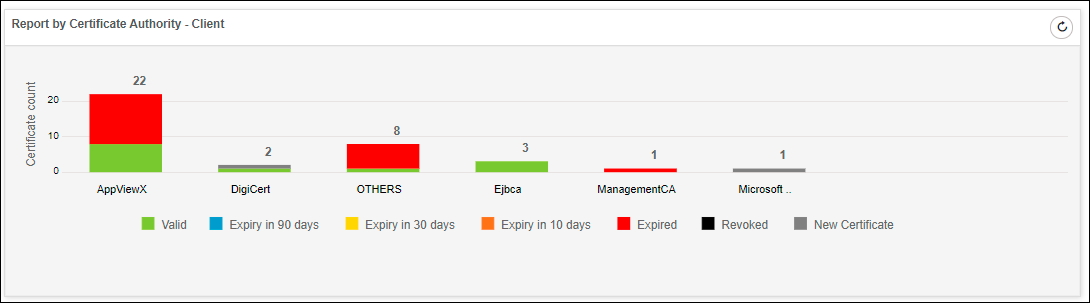
Expiry Report by Month - Client
This report shows the count of certificates with respect to expiry month
information.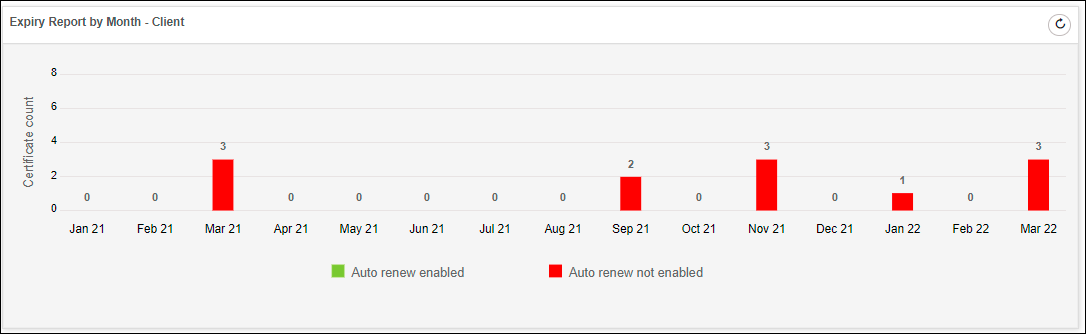
Policy Compliance Report - Client
This report shows the count of client certificates as compliant or non-compliant
based on the group policy assigned to the certificate.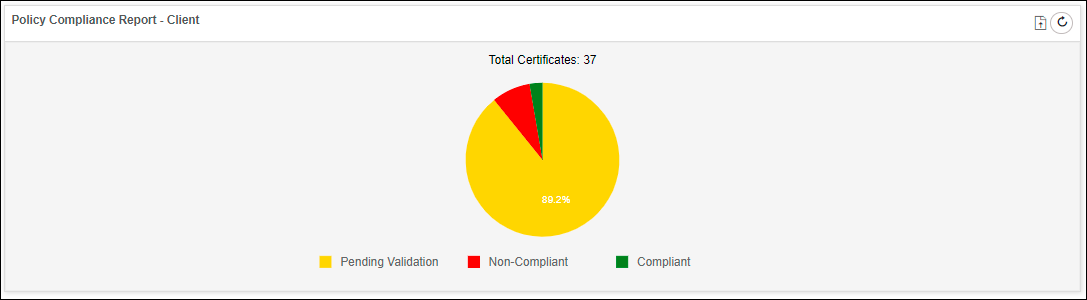
Stale Certificate Report - Client
This report shows the count of client certificates that are either revoked or
expired.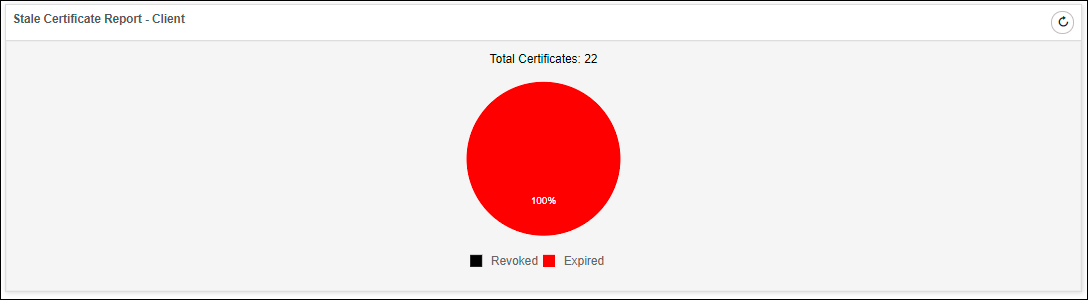
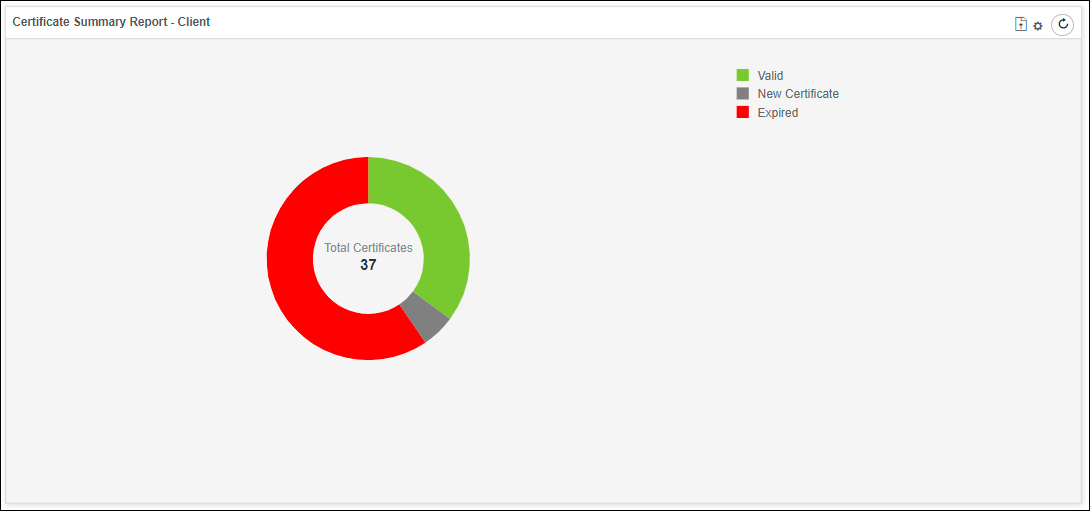
Certificate Summary Report - Client
This report shows the count of certificates with respect to their expiry status.
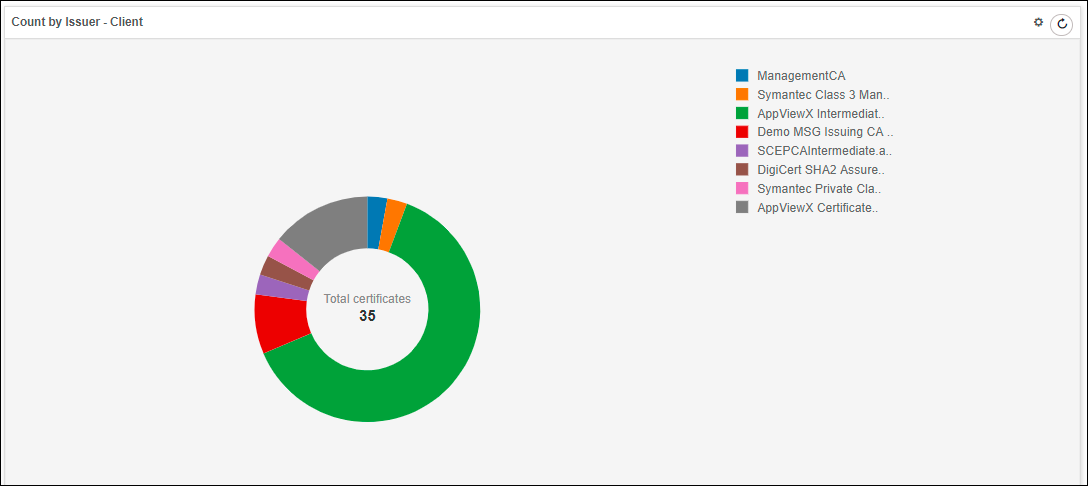
Count by Issuer - Client
This report shows the count of client certificates with respect to the issuer
details.