Viewing the Cloud Device Inventory
- Outer inventory: Displays details of all cloud accounts added
- Inner inventory: Displays details of an individual cloud account
To access the outer cloud device inventory:
- Login to AppViewX.
-
From the top right corner of the screen, click
 .
.
-
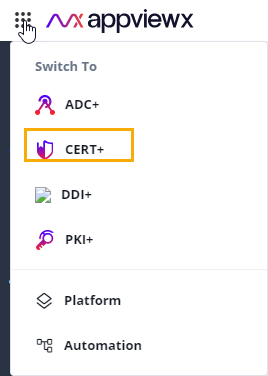
From the main menu displayed, select CERT+.
-
From the CERT+ menu, under ADMINISTRATION, select Device
Management.
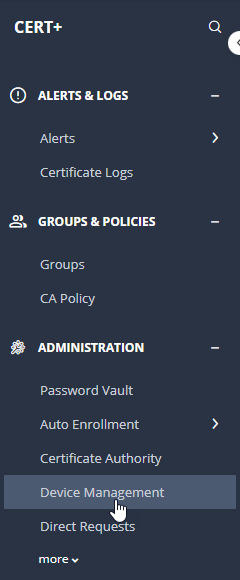 The Device :: ADC page is displayed.
 -
From the Device :: ADC screen, select Cloud.
The Device :: Cloud outer cloud device inventory is displayed.
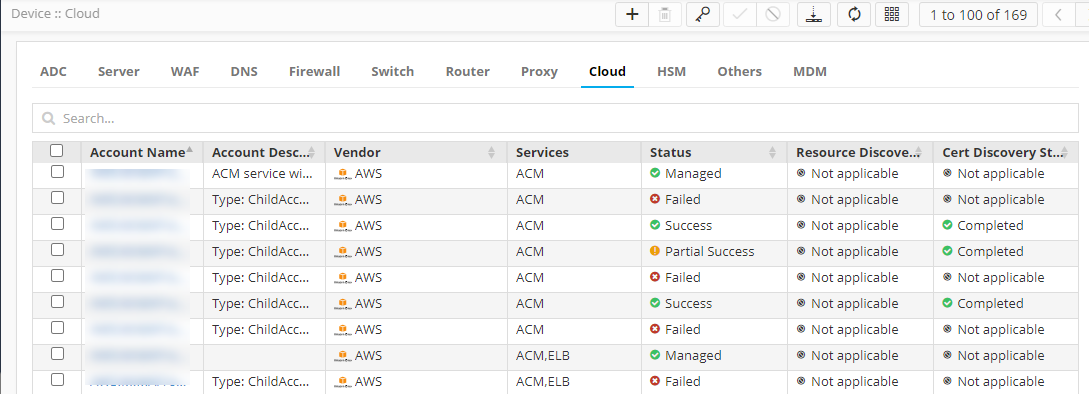
The fields displayed in the inventory are explained in the table below:
Field Description Account Name Name of the account to which the cloud device belongs Account Description Applicable only for a child account, this field displays the following details: - Account type (child)
- Master account number
- Discovery type: ROLE_BASED or ORGANIZATION_BASED
Vendor Cloud device vendor name Service Service integrated for the cloud device Status Status of the discovered accounts. This field takes the following values:- For the master account:
- Managed
- Failed
- For the child account:
- Success
- Partial Success
- Queued
- In Progress
- Failed
Resource Discovery Status Note: Resource discovery status is not applicable for master accounts. For master accounts, the resource discovery status is set to Not Applicable.Note: The resource discovery status of accounts in this outer cloud inventory list depends on the corresponding status of all its reporting entities listed in the account level inventory here.This field indicates the status of the resource discovery for the discovered accounts using the following values:- Not started: Resource discovery for the
account is yet to beginNote: At this point, it is not mandatory for the associated account to be in the Managed (account credentials validated) state.
- In-Progress: Resource discovery for the
entity by AppViewX in the customer’s AWS
environment is currently in progress. The
aggregated resource discovery status is
In-Progress till the resource discovery
status for all individual entities is
Completed.Note: This is possible only when the account is in the Managed state.
- Completed: Resource discovery by AppViewX
in the customer’s AWS environment is
complete.Note: This is possible only when the account is in the Managed state.Note:
- Completed resource discovery only implies completion of the discovery process by AppViewX on AWS. All resources may not be discovered all the time. The count of resources discovered with respect to the total resources will be shown in detailed reporting.
- The resource discovery status of all entities mapped to the account should be Completed.
- Not Applicable: The resource discovery
status is set to Not Applicable:
- when Status = Failed or Resolved
- for ACM and ELB resources
- for all existing devices and child accounts as part of data migration
Cert Discovery Status Note: Cert discovery status is not applicable for master accounts. For master accounts, the cert discovery status is set to Not Applicable.Note: The certificate discovery status of accounts in this outer cloud inventory list depends on the corresponding status of all their reporting entities listed in the account level inventory here.Indicates the status of the certificate discovery for the discovered accounts using the following values:- Not started: Certificate discovery for
the account is yet to beginNote: At this point, the resource discovery status of the associated account can be Not started, In-Progress, or Completed.
- In-Progress: Certificate discovery for the entity by AppViewX in the customer’s AWS environment is currently in progress. The status is In-Progress till the certificate discovery status for all accounts is either Completed or Not Applicable.
- Completed: Certificate discovery by
AppViewX in the customer’s AWS environment is
complete.Note: This is possible only when the certificate discovery status for all the entities associated with the account is Completed.
- Not Applicable: The certificate discovery
status is set to Not Applicable:
- when Status = Failed or Resolved
- for EC2 when no EC2 instances are discovered
- for all existing devices and child accounts as part of data migration
Note: The cert discovery status is based on the status of only those entities for which the cert discovery status is not Not Applicable.Note: Alternate steps to access the cloud device inventory:- From the main menu, select Platform.
- From the Platform menu, under ASSET MANAGEMENT, select
Device Inventory.
The Device :: ADC page is displayed.