View Certificate Topology
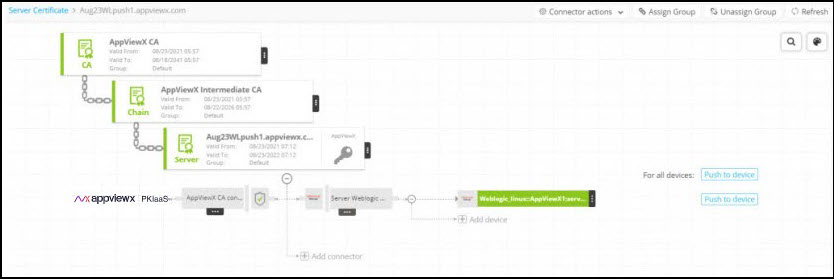
To view the topology that a server or client certificate belongs to:
- Go to
 (Menu) icon > CERT+.
The CERT+ left navigation pane appears.
- Click Certificate Inventory and select the type of certificate you want to view.
- On the list that appears on the screen, click the Common Name of the
certificate.
The screen refreshes and displays the topology of the corresponding certificate.
 Note:
Note:For certificates that are reissued, renewed, or regenerated, the certificate has a history, which is denoted by an H symbol beside its name.
- Click
 (Refresh).
A Certificate History screen pops up with details corresponding to the selected certificate.