Validating Sectigo CA
-
Go to
 (Menu) > SIGN+ > ADMINISTRATION > Certificate
Authority.
(Menu) > SIGN+ > ADMINISTRATION > Certificate
Authority.
- From the displayed CA, select Sectigo.
-
In the Status column of the grid with the listed accounts, click
Check to validate the CA setting that has been
created.
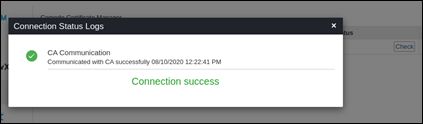
The CA communication will be validated and the Connection Status will be shown as either Success or Failure.