Uploading the License Key
To access the application, the user needs to upload a license. If you do not have a license key, send an email to [email protected] with the hostname of the node in which the application is installed.
To upload the license key:
-
Log in to the application using the Web URL displayed in the success
message of the installation.
You are prompted to enter the username and password of the AppViewX admin account.
-
Click Browse and upload the license file.
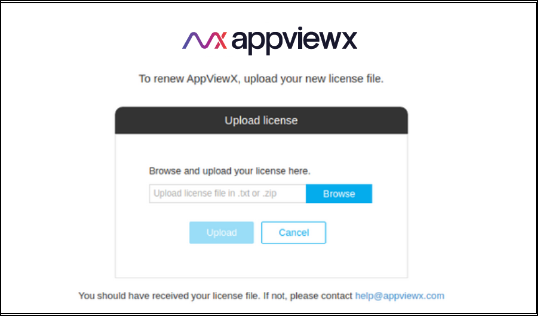 A confirmation message is displayed after uploading a valid license.
Troubleshooting:
- If the license upload fails, ensure that the uploaded file is in the proper <.txt> (or) <.zip> format.
- If the license upload fails while activating the license, ensure that the output of the hostname command is provided during the generation of the license.
- If the license upload fails, trigger the following URL from your browser and try again after a few minutes. - https://AppViewX GATEWAY URL/refresh