Pinning Reports
Note: Only reports that are enabled are visible on the
dashboard to which they are pinned.
To pin a report to dashboard:
-
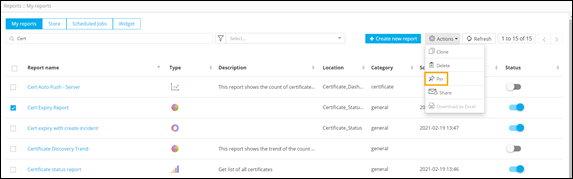
On the Reports :: My Reports
page, select the report to be pinned.
Note: Ensure that the selected report is enabled. You can enable a report by turning on the toggle under the Status column.
- From the command bar on the top right, click Actions.
-
From the list of available actions, select Pin.
-
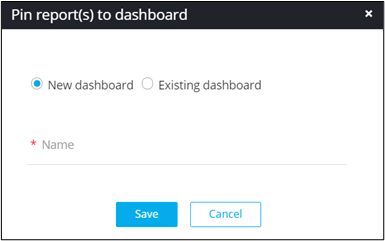
In the Pin report(s) to dashboard window that is
displayed, select if the report is to be pinned to a new or existing
dashboard.