Configuring an Ansible Instance
- Go to the Integration Hub.
- On the Workflow > Integration page, click Ansible.
-
On the Vendor configuration page, enter the required
field information.
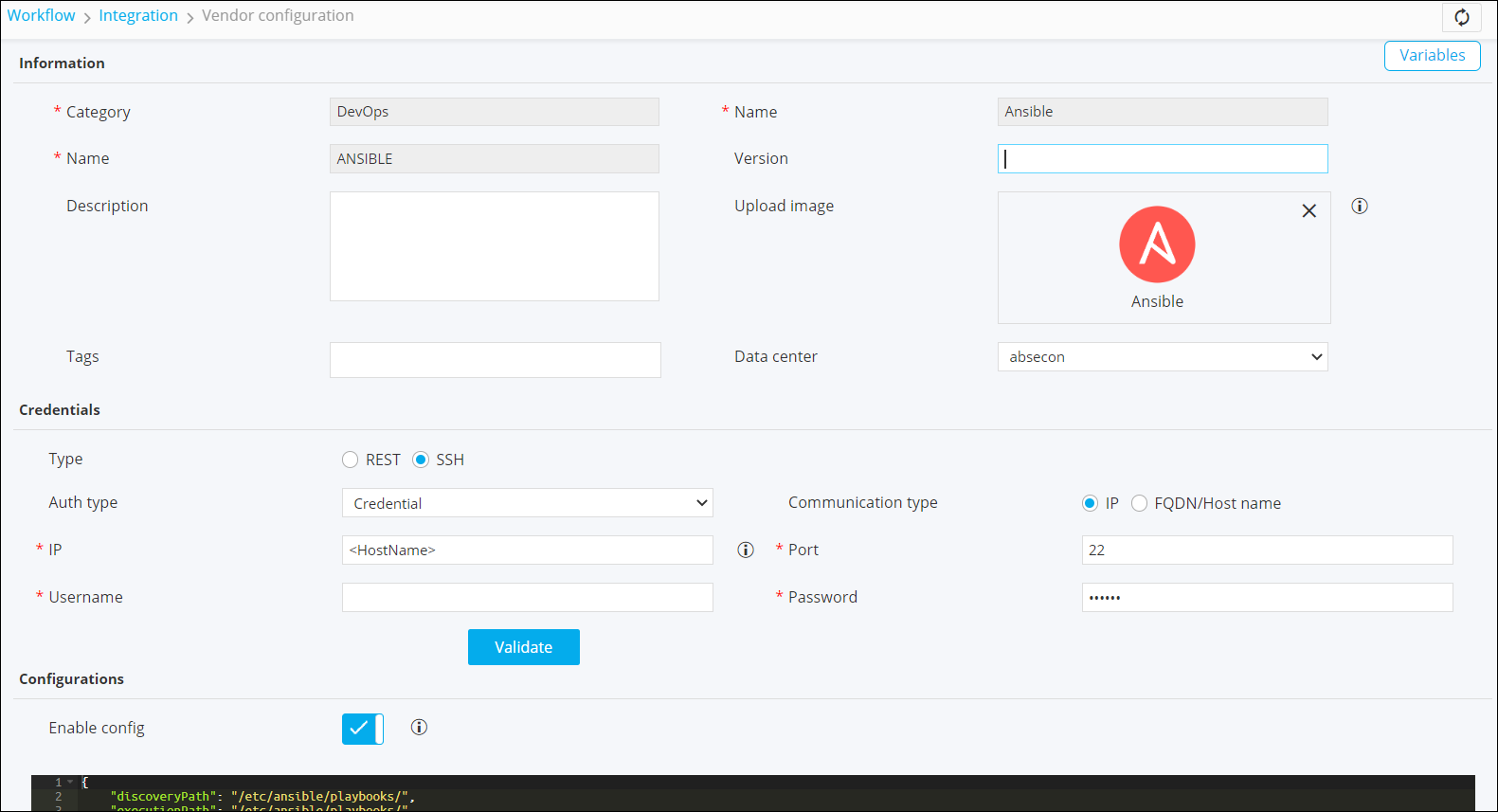 Note: Under Authentication type Basic Auth and Credentials you can select the credential type from the drodown and enter the relevent details to support credential authentication.From the Auth type field, if you select Basic Auth and Credentials you can select the Credential Type from the dropdown and enter the relevant details to support credential authentication.
- In the Credential Type field, if Manual is selected, the enter the Username and Password.
- In the Credential Type field, if Credentail List - XYZ is
selected, then in the Credential List field, a list of
credentials from credential store will be displayed.
- If the Credential Type = Credentail List -
CyberArk, Credentail List - BeyondTrust an
additional field Credential Address is displayed. It
uniquely identifies the credential list.Note: The credentials must be added in the respective Device Inventory.
- If the Credential Type = Credentail List -
CyberArk, Credentail List - BeyondTrust an
additional field Credential Address is displayed. It
uniquely identifies the credential list.
-
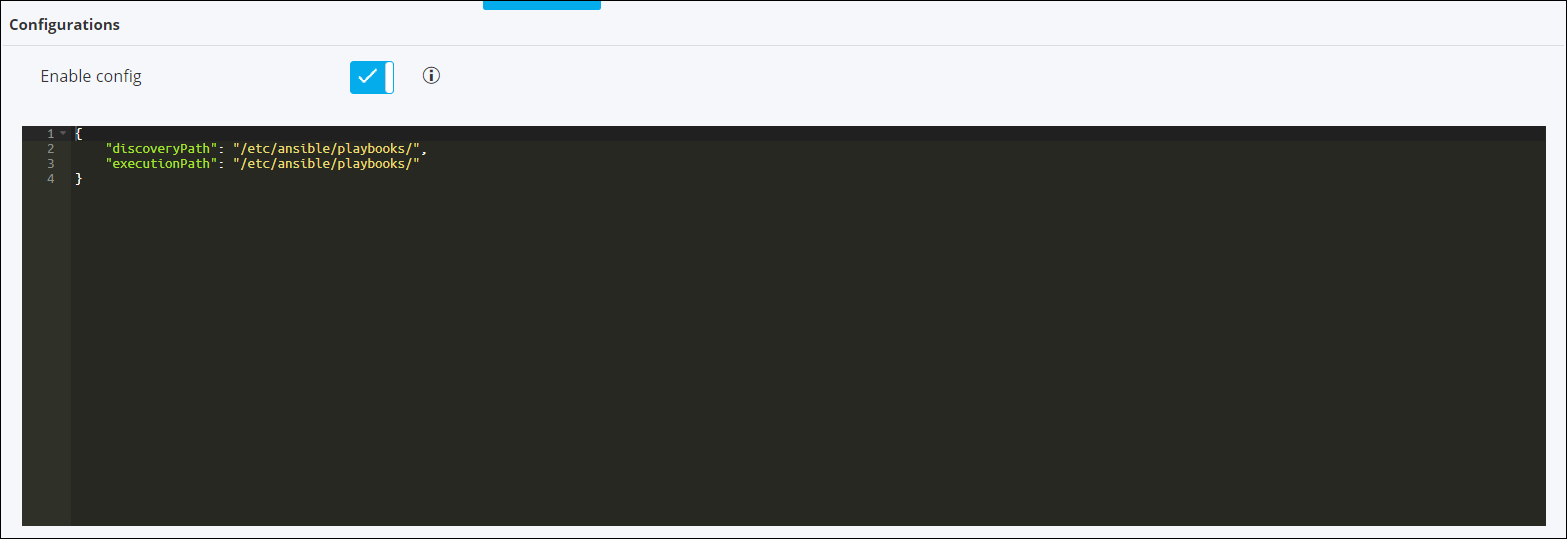
Under Configurations, turn on the Enable config toggle and define
the folder/path from where existing playbooks can be discovered within the
workflow studio.
-
Click Add.
Note: For more information on Ansible - Visual Workflow Northbound integration, click here.