Summary
The IP compliance summary dashboard provides a overview of IP address landscape and
compliance status with CMDB and Load balancing configuration.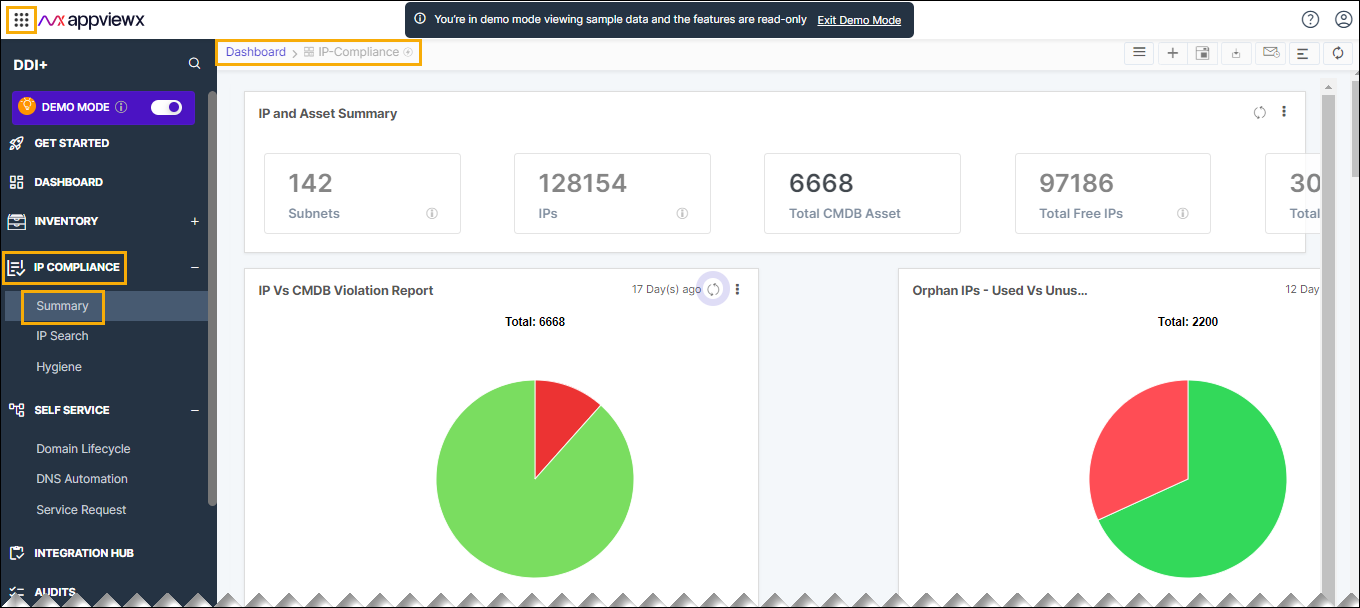
The following reports are available under the IPCompliance tab:
- IP and Asset Summary: The IP and Asset Summary provides a comprehensive overview of IP address details, encompassing information on the number of subnets, total IP addresses, and the allocation status (free and used) sourced from IP Address Management (IPAM). It also includes the total count of IP assets synchronized from the Configuration Management Database (CMDB).

- IP vs CMDB Violation Report: The IP vs CMDB Violation Reports provide
insights into the match and mismatch of IP addresses between IP Address
Management (IPAM) and the Configuration Management Database (CMDB).Report is a pie chart with two sections match and mismatch:
- Match - IP addresses used in IPAM with corresponding CMDB entries.
- Mismatch - Mismatch has following two conditions:
- Mismatch Condition 1: IP addresses are used in IPAM but no CMDB entries.
- Mismatch Condition 2: IP addresses not used in IPAM with entries in CMDB
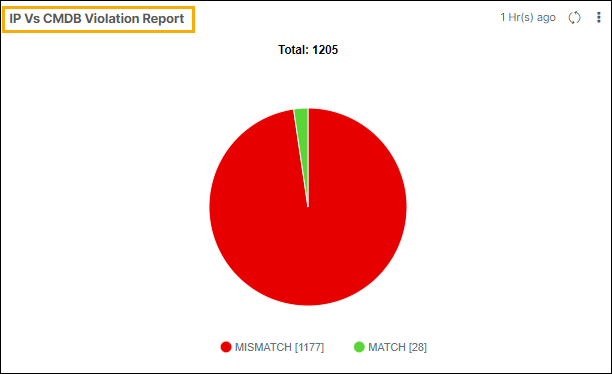
Click on each section of the pie chart to view the details of the IP address and reason for match and mismatch.
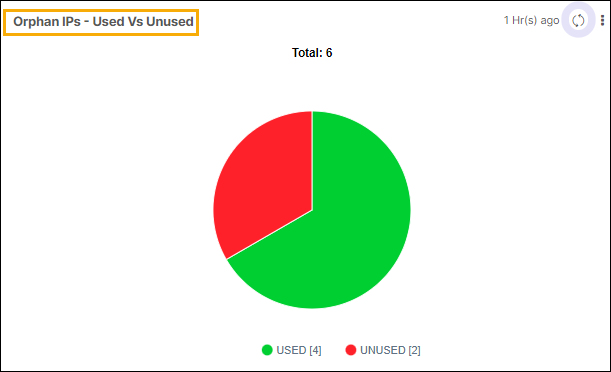
- Orphan IPs - Used Vs Unused: This report gives users a breakdown of used
and unused orphan IPs in IPAM.
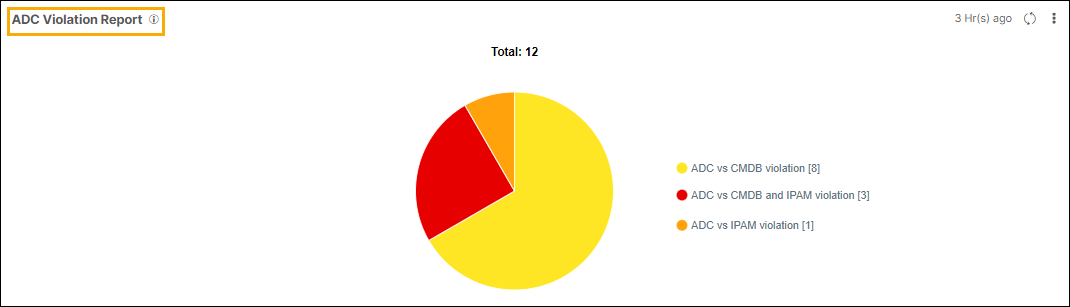
- ADC Violation Report: This report shows discrepancies in ADC IP addresses
within IPAM and the CMDB. The pie chart consists of three sections:
- ADC vs CMDB vs IPAM Violation: Depicts IP addresses lacking both IPAM reservations and CMDB entries.
- ADC vs IPAM Violation: Illustrates ADC IP addresses without IPAM entries but with corresponding CMDB entries.
- ADC vs CMDB Violation: Highlights ADC IP addresses without CMDB entries but with IPAM reservations.
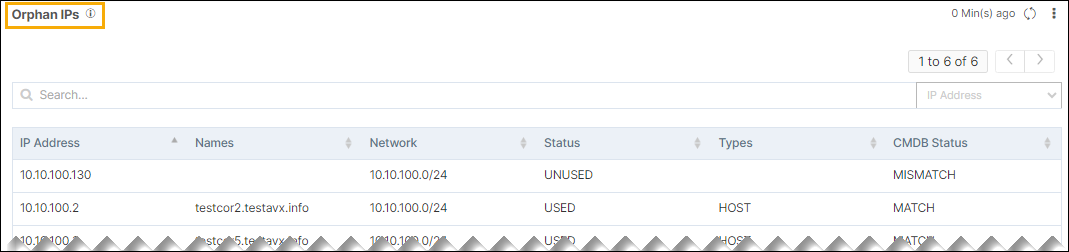
- Orphan IPs:
Orphan IPs are those with entries in the CMDB but may lack essential details such as ownership information or business units.
The definition of orphan IPs can vary between enterprises, allowing customization through AppViewX CMDB configuration. Users can establish custom policies to choose certain IPs as orphan based on configured fields in the CMDB.
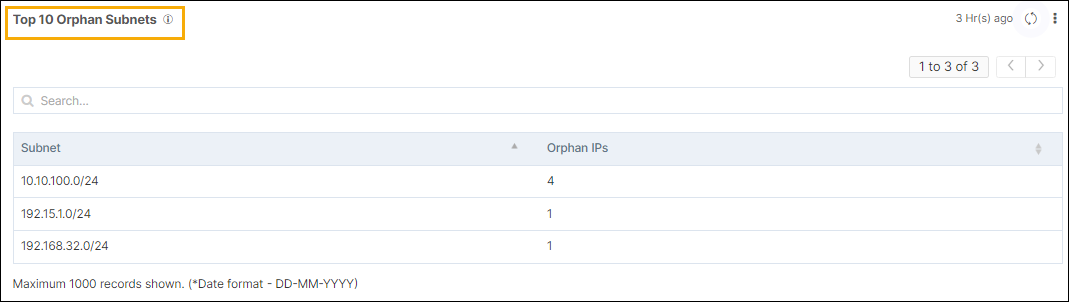
- Top 10 Orphan Subnets: This grid report displays the top 10 subnets with
the highest number of orphan IPs.
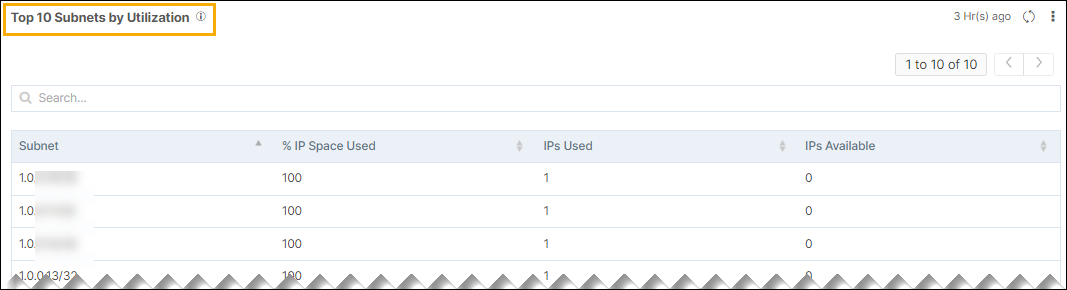
- Top 10 IP Subnets by Utilization: This grid report displays the top 10
subnets with the highest utilization.
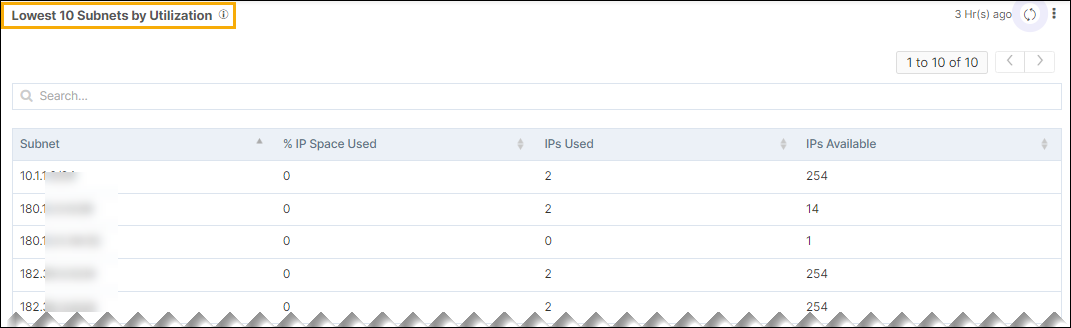
- Lowest 10 IP Subnets by Utilization: This grid report presents the ten
subnets with the lowest utilization.