Approving/Rejecting Access Requests
All requests for terminal access are displayed on the Get Started page in the Approvals section.
To approve or reject access request:
-
Go to
 (Menu) icon > SSH+ > Get Started.
The access requests are displayed in the Approvals section.
(Menu) icon > SSH+ > Get Started.
The access requests are displayed in the Approvals section.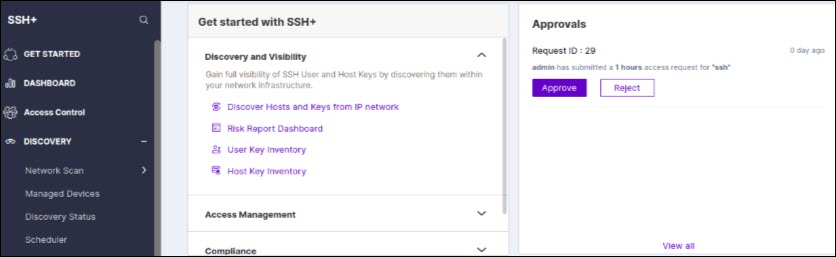
-
Based on the requestors and their access rights, you can approve or reject the
request.
On approving the request, the Access Status column on the Terminal Access Control page turns to:
- Accessible: Status when key provisioning is successful for all hosts in the infra access groups.
- Partially Accessible: Status when key provisioning fails for some hosts in the infra access groups.
- Failed: Status when key provisioning fails for all hosts in the infra access groups.
Note: You can approve or reject access requests from Access Requests Hub. For more information, see Access Requests Hub.