Resource
| New Menu | Old Menu |
|---|---|
| In the Platform module, from the left pane, under
IDENTITY, select Resource. The Resource page is displayed, with all the roles listed with their Name, Description, and Status. |
From the main menu, select Account >
Resource. The Resource page is displayed, with all the roles listed with their Name, Description, and Status. |
|
Note:
For more information on how to switch
between menus, click here. |
|
- On the Resource page, click on any resource.
-
To see the permissions that can be defined for the resource in the Workflow
Studio, under the Access Control tab, from the List menu, select
Workflow Studio.
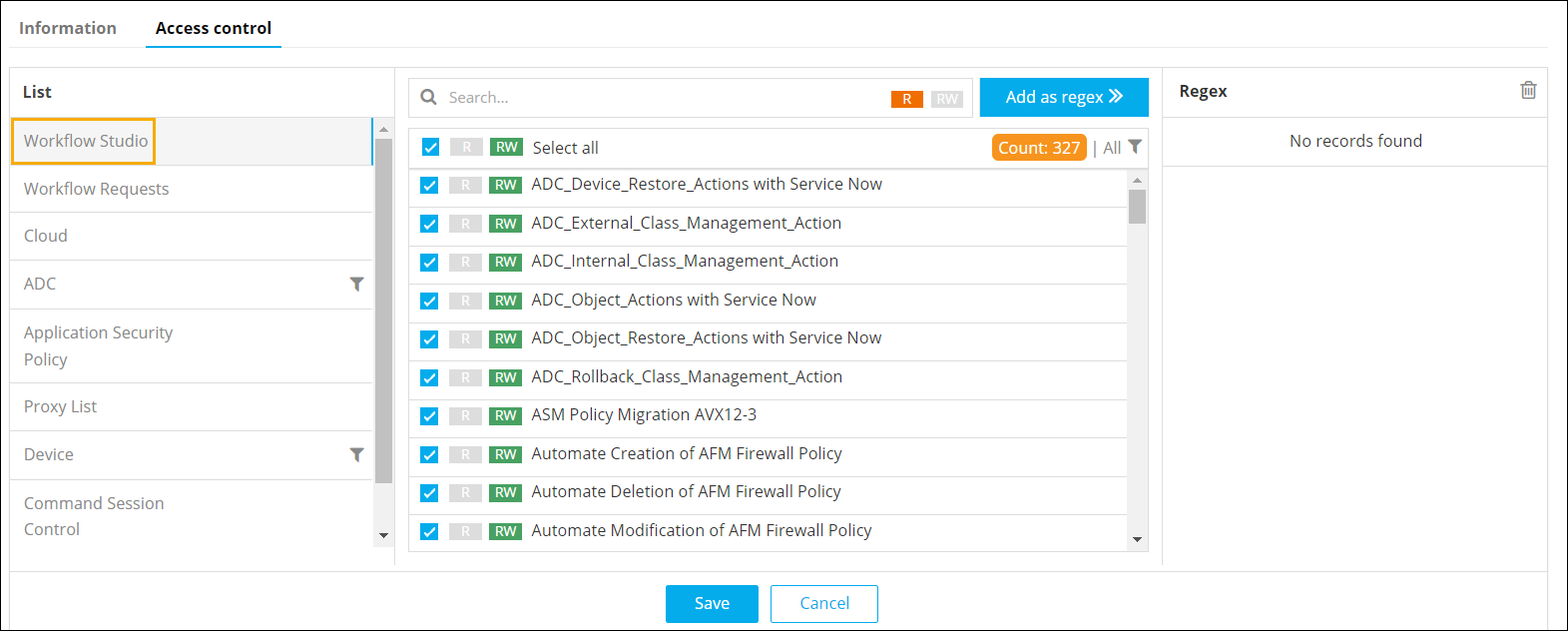
The following permission(s) can be defined for the resource:
- Read (R): To allow only Read access to the resource, click R against the Workflow name. The resource will not be able to modify the workflow.
- Read/Write (RW): To allow a resource to view and modify a workflow, click RW against the workflow name.
- Select/Deselect: If you deselect a particular workflow, that workflow will not be available on the Workflow page for this resource.
- When trying to add the regex "*", a validation error will be triggered, resulting in the disabling of the "Add as regex" option.
-
To see the permissions that can be defined for the resource in the Service
Requests console, select Workflow Requests.
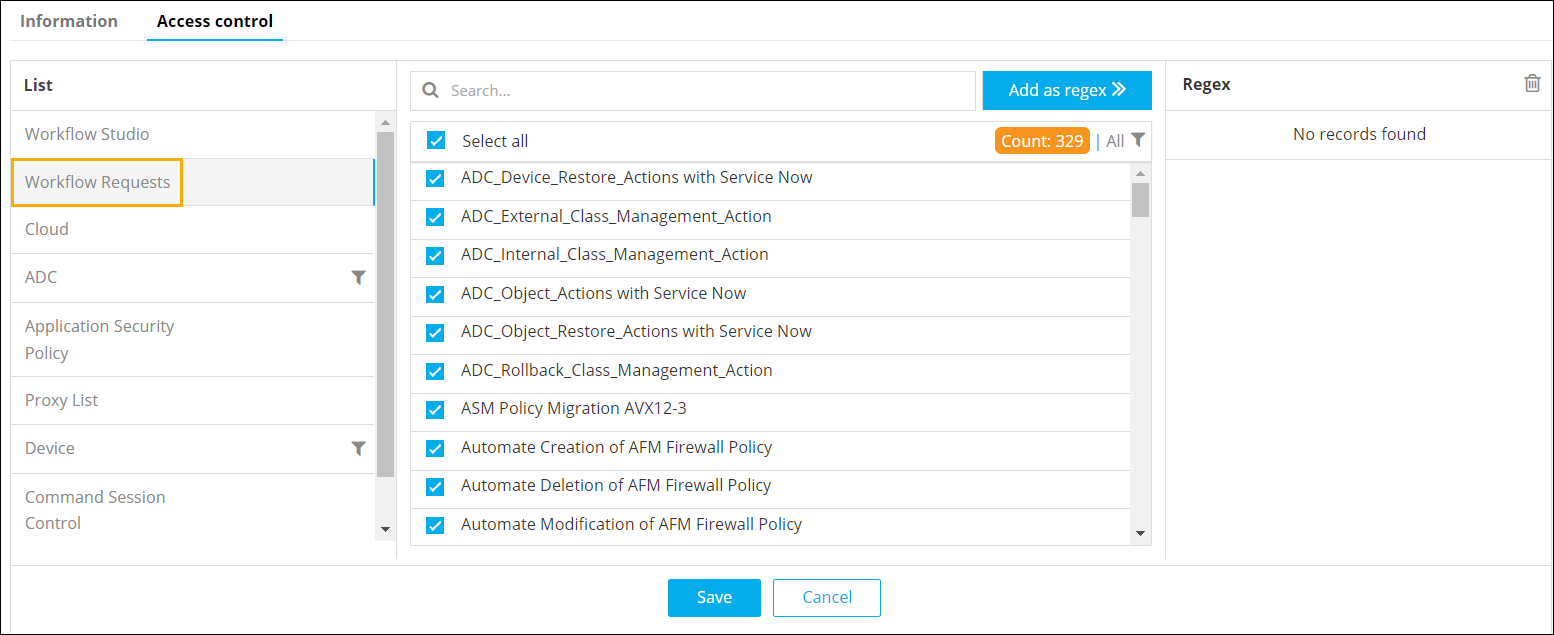
- When trying to add the regex "*", a validation error will be triggered, resulting in the disabling of the "Add as regex" option.
Note:If you deselect a particular workflow here, it will not be available on the Request :: View/Run page for this resource. - Click Save.