Actions
| Action | Description | ||
|---|---|---|---|
| Enable | Enables the Object. | ||
| Disable | Disables the Object. | ||
| Force Down (Specific for F5) | Force down the object. | ||
| FD Clear Active Connections (Specific for F5) | Force down the object and terminate all the current connections. | ||
| Graceful disable (Specific for AVI) | Disable the object only when all the current active connections are closed either by server or client. | ||
| Compare Config | Compare current and /or archived configurations of objects with the same name. | ||
| View Source Connections (Specific for F5) | View the active connections for VIP and LTM Pool. | ||
| View Persistence (Specific for F5) | View the persistence for VIP and LTM Pool. | ||
| Clear source Connections (Specific for F5) | Clear the persistence for VIP and LTM Pool. | ||
| Open in New Window (Grid / Infrastructre View) | Displays the topology view of the selected object in the new window. | ||
| Backup & Restore | Backup Device | Create the backup of the device associated with the object. Backup will be available in the Default backup group. | |
| Restore Object | Restore the object configuration to a previous state. | ||
|
Advanced (Specific for F5) |
Enable All | Enable all the LTM pool members with the same ip port on the same device. | |
| Disable All | Disable all the LTM pool members with the same ip port on the same device. | ||
| Force Down All | Force down all the LTM pool members with the same ip port on the same device. | ||
| Enable Persistence | Enable or Disable the tracking and storing of session data, which is used to ensure that client requests are directed to the same pool member throughout the life of a session or during subsequent sessions. | ||
| Disable Persistence | |||
| View | View Config | View the configuration of the object and its child objects. | |
| View Graph | View the timeline statistics for the object. | ||
| View Log | View the log history specific to this object. | ||
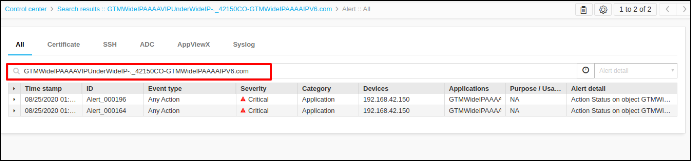
| View Alerts | View the alerts related to this object. | ||
View Config
Shows the configuration of the selected object and its child.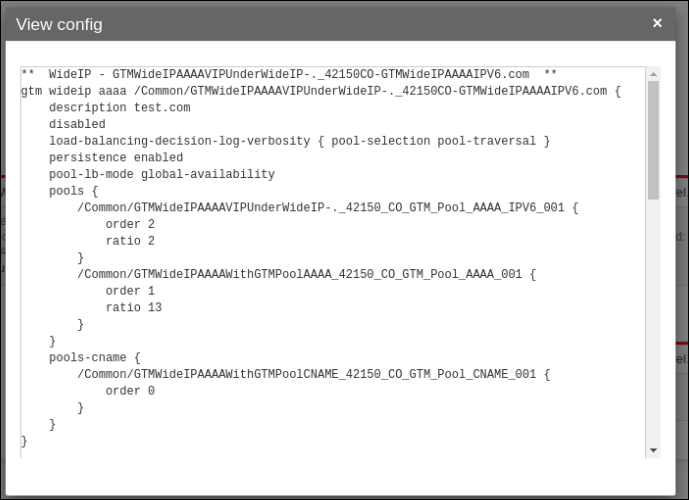
View Graph
Shows the timeline statistics for the selected object. Graph will be available only if the statistics is configured in the Settings. For more details on settings refer Configuring statistics collection.
When the user clicks on the view graph pop-up will be displayed.
- Statistics - The entries in this list vary depending on the object. when the user selects the different stat parameters the corresponding graph will be updated.
- Interval - The following time intervals can be selected: Day, Week, Month, or 3 Months. When the user selects different intervals the graph displayed will be updated to the selected time frame.
View Log
When the user applies the view log action on particular objects, the audit logs
related to that particular object alone will be filtered and displayed.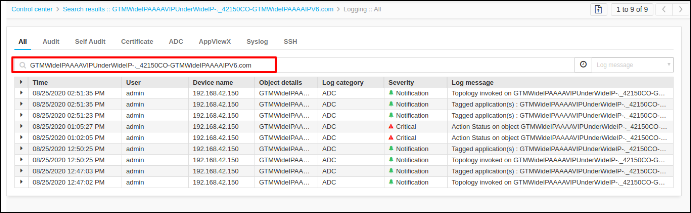
View Alert
When the user applies the view alert action on particular objects, the alerts related
to that particular object alone will be filtered and displayed.