Extensible Attributes Settings
Extensible attributes are additional attributes that organizations may need to record as part of their domains.
To configure the Extensible Attribute:
- Go to DDI+ > SETTINGS, and then click
Extensible Attributes.The Domains page is displayed.
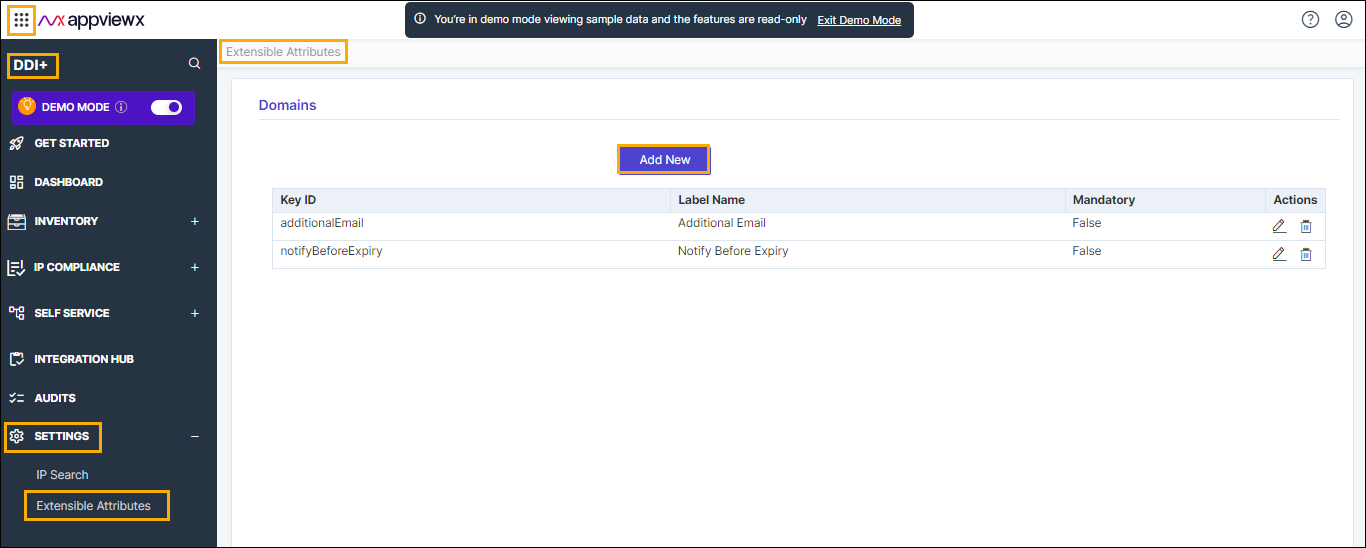
- In the Domains section, click the Add
New button.The Extensible Attribute window is displayed.
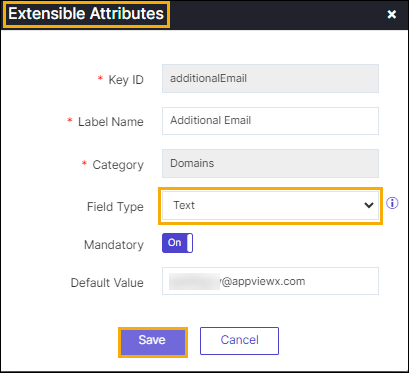
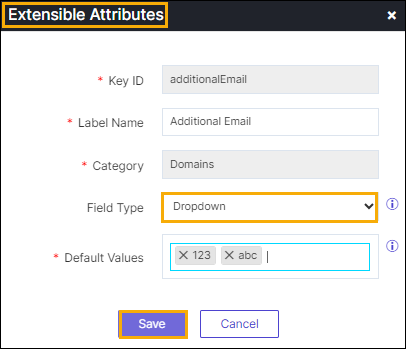
The following table describes the various fields in this section.
Field Description *Key ID Enter the valid key ID. *Label Name Enter the name of the label. *Category By default, the Domains category is displayed. Field Type Select the desired extensible attribute type form the dropdown list. The available types are: - Text
- Dropdown.
Mandatory Move the radio button for On or Off. Note: This option will be enabled when the field type is selected as Text.*Default Value Enter the valid Email ID. *: Mandatory fields - Click Save.