Request :: Overview
The Request :: Overview page provides a one-stop view of all workflow requests by status - opened, closed, failed, assigned, and total workflow requests. It allows you to generate dynamic reports on the status of the workflow requests.
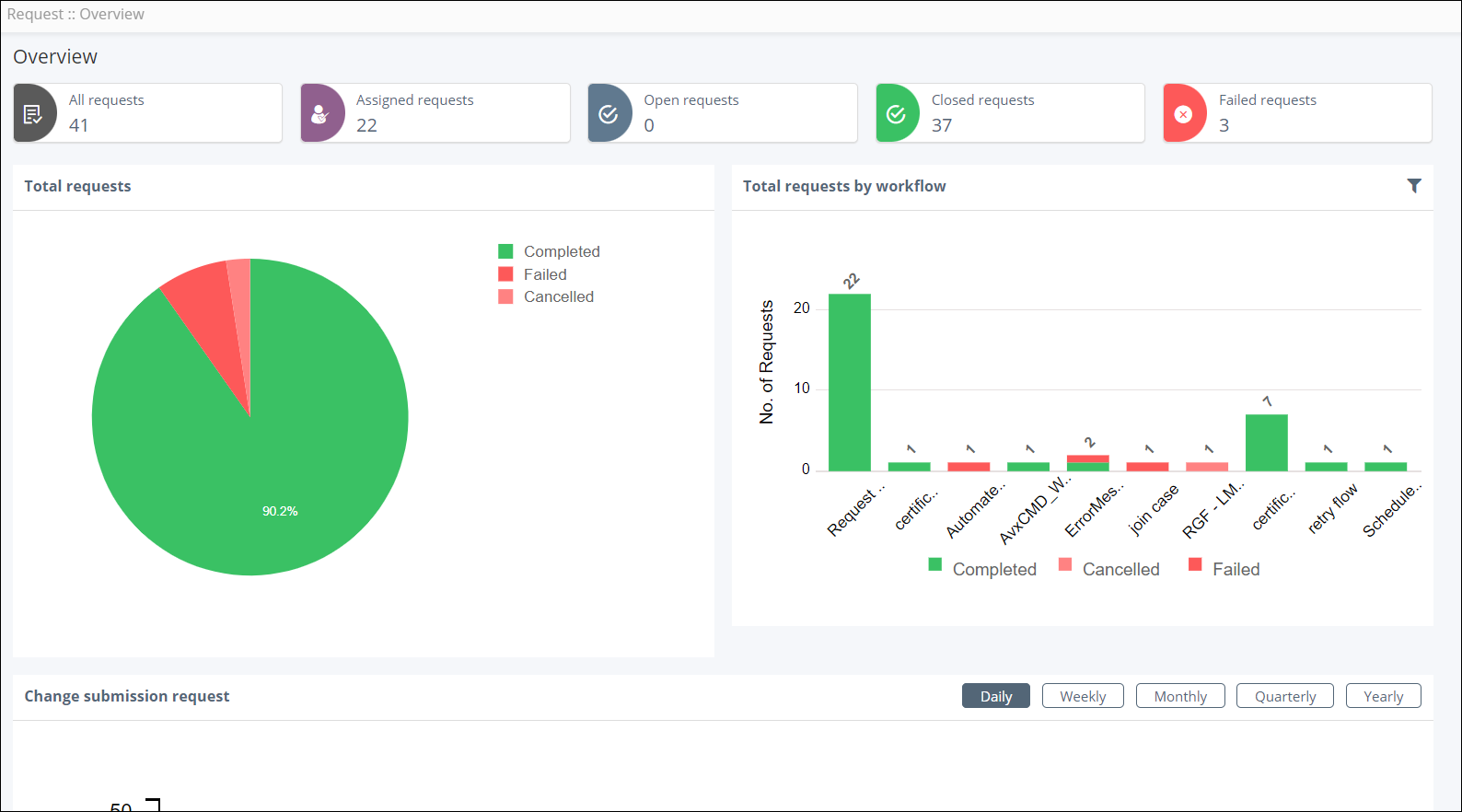
Click on any section of the chart or metric and navigate directly to the inventory.
Following are the possible statuses for a workflow request:
| Status | Description |
|---|---|
| In-progress | The request is awaiting a response to proceed. |
| Completed | The request is complete and successful. |
| Failed | The request failed during execution. |
| Partial | The request is partially executed. |
| Rolled Back | The request is complete and has rolled back to its previous state. |
| Paused | The request is suspended/paused. |
| Aborted | The request is aborted. |
Total requests
The Total Requests pie chart displays all the service requests as per their status.
Total requests by workflow
The Total Requests by workflow bar chart displays the number of requests triggered for each workflow along with their statuses
Change Submission Request
The Change submission requests line chart helps you visualize the request
trend over a period of time.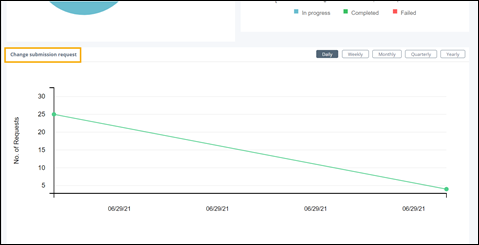
- Provision to perform trend analysis on the requests triggered over a period of time
- Provision to create daily, weekly, monthly and yearly views for the requests triggered.