Visibility
After installing cert-orchestrator on the designated cluster and enabling the certificate discovery feature, AppViewX will create an inventory of Kubernetes certificates found across all your Kubernetes clusters. This centralized view allows you to proactively manage all your certificates.
Managing Certificate Groups for Kubernetes Clusters
When the Discovery Feature Gate is enabled with the Auto Create Certificate Groups option (enabled by default), the platform automatically organizes certificates based on Kubernetes clusters and namespaces. This feature helps in efficiently managing Kubernetes certificates by automatically grouping them under a structured hierarchy, ensuring better organization and access control.
-
The platform creates a certificate group for each discovered Kubernetes cluster.
-
Within each cluster group, namespace-specific certificate groups are automatically created.
-
These namespace groups act as child groups under their respective Kubernetes cluster group.
-
All Kubernetes-related certificate groups are mapped under a Parent Group called "Kube Plus Group".
-
This ensures clear segregation between Kubernetes certificates and other certificates.
Key Benefits
Automatic Organization – No need for manual certificate group creation; Kubernetes certificates are automatically structured.
Fine-Grained Access Control – Admins can assign permissions at the cluster and namespace levels, ensuring secure access management.
Simplified Certificate Management – Certificates are categorized in a logical structure, making them easier to locate and manage.
Certificate Endpoint View – Understanding Where Certificates Are Used
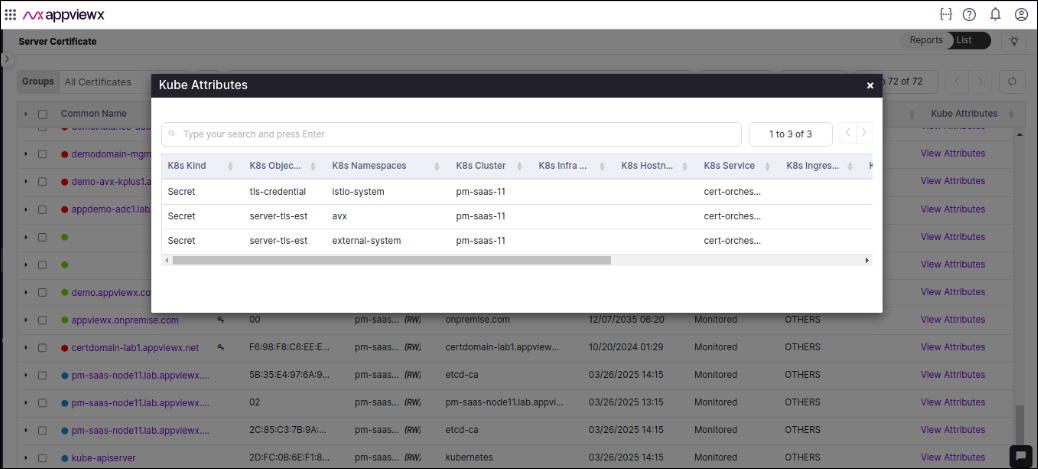
Holistic View
-
For certificates found in Kubernetes Secrets, the connector name will start with the prefix "Secret".
-
For certificates discovered through Routes, the connector name will start with the prefix "Route."
-
For certificates discovered from configmap objects, the connector name will start with the prefix "configmap".
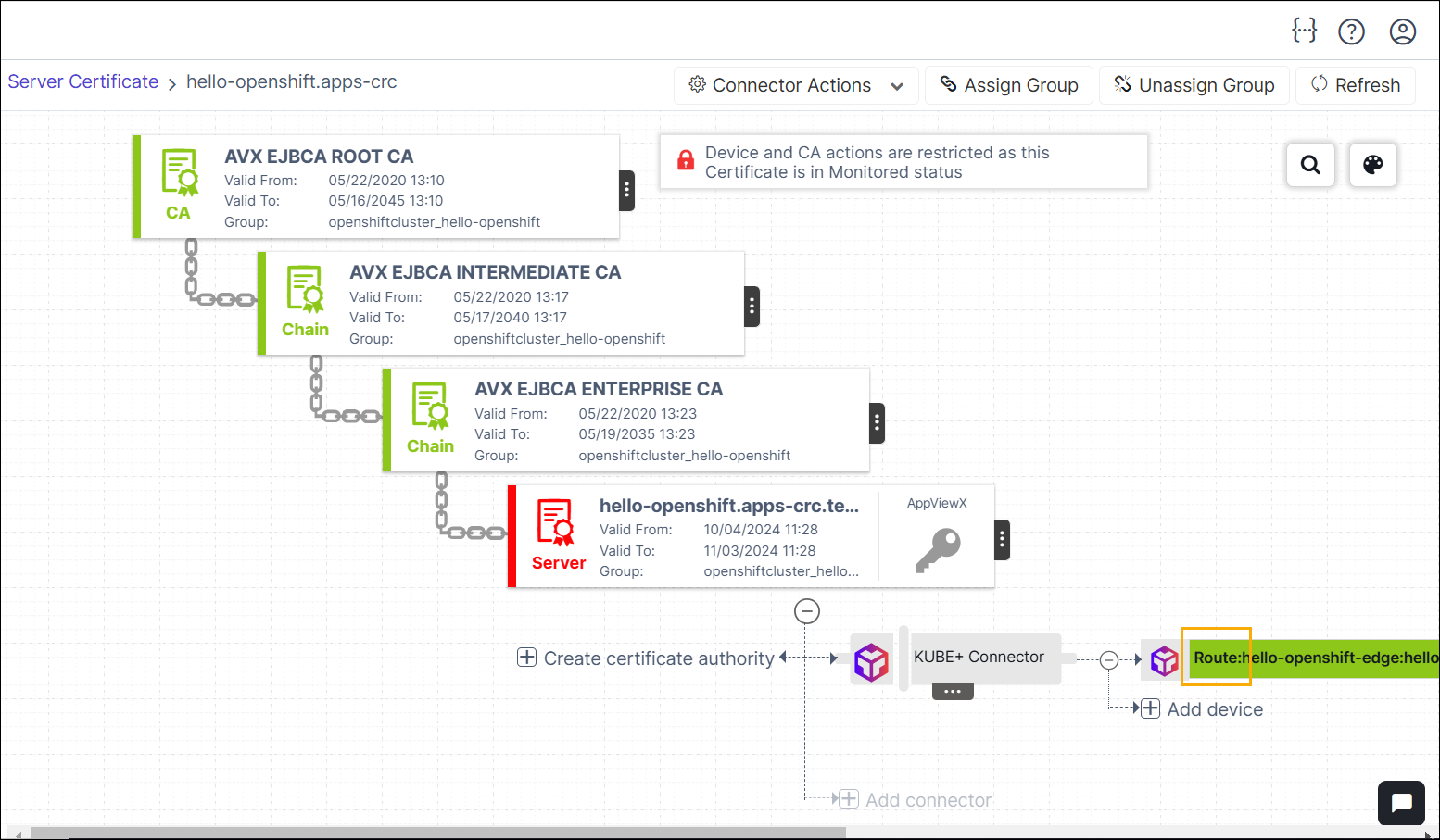
-
Ingress certificates - Certificates which are used by Ingress controllers.
-
Infrastructure certificates - Certificate discovered from Kubernetes control plane components.
-
Service Mesh - Certificates which are enrolled from AppViewX for Service Mesh for mTLS authentications.
-
Others - Certificates which are not of any of the above 3 classifications will be classified as Others.