Creating the Configuration File for Agent Set Up
Creating a Linux-based Configuration File
- Login to the release portal https://release.appviewx.com/downLoadArtifact?id=1729 and download the latest Linux variant of the code scan agent, code-scan-agent-linux-v1.0.0-2025.09.tar.gz, in your Ubuntu or RHEL machines, as required.
-
To verify that the tar file has not been tampered with and is secure for
use.
-
Untar the Code Scan Agent.
tar -xvf code-scan-agent-linux-v1.0.0-2025.09.tar.gz -
Assign execution permissions for the Code Scan Agent.
chmod +x code-scan-agent -
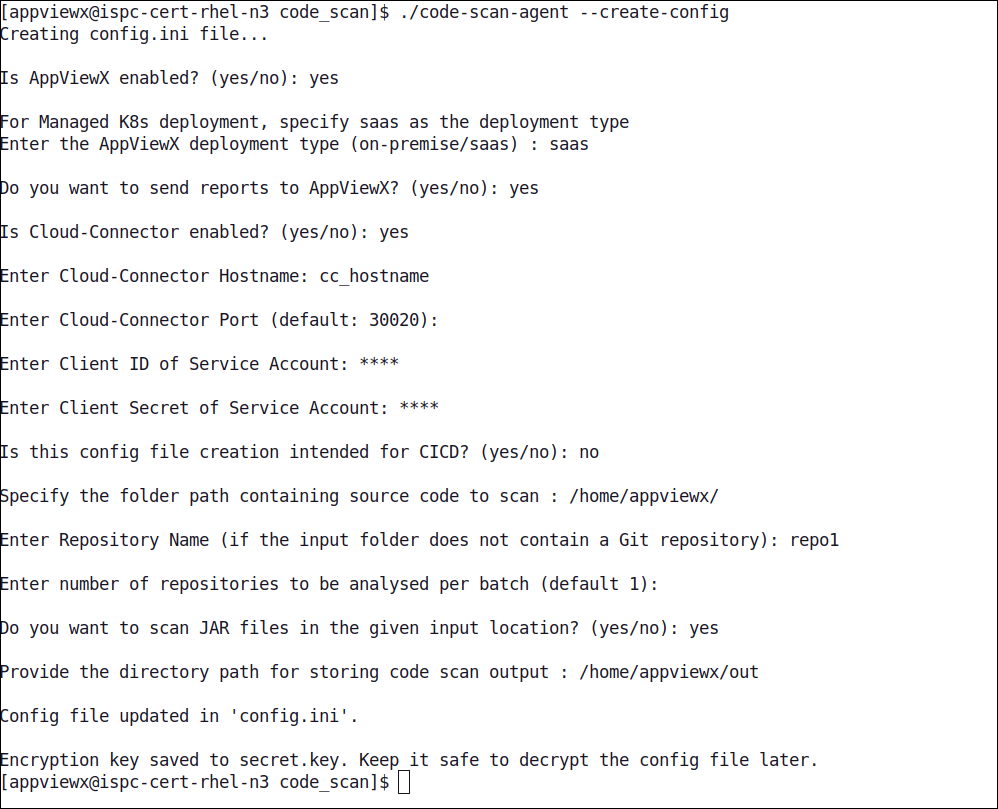
Create the configuration file and secret key needed for executing the code
scan agent.
The config.ini file and the secret.key file will be created in the relative path. The secret key will be used to decrypt the configuration file while the scans are being executed.
Creating a Docker-based Configuration File
Prerequisites
- Set the required permissions for the configuration file creation.For Docker, execute the following commands:
sudo mkdir /path/to/config-directory
sudo chmod 666 /path/to/config-directory
For podman, execute the following commands:mkdir -p /path/to/config-directory chown <username>:<group> /path/to/config-directory
Configuration File Creation Instructions
- Login to the release portal https://release.appviewx.com/downLoadArtifact?id=1727 and download the latest Docker variant of the code scan agent, code-scan-agent-docker-v1.0.0-2025.09.tar.gz, in your Ubuntu or RHEL machines, as required.
-
Verify that the tar file has not been tampered with and is secure for
use.
Here:openssl cms -verify -in /path/to/SIG-file -inform DER -binary -noverify -content /path/to/tar-file- /path/to/SIG-file: Signature file downloaded from release portal
- /path/to/tar-file: Location of the tar file downloaded from the release portal
-
Untar the Code Scan Agent.
tar -xf code-scan-agent-docker-v1.0.0-2025.09.tar.xz -
Load the docker agent.
docker load -i code-scan-agent-image-v1.0.0.tar.gz -
Create the configuration file and secret key needed for executing the
code scan agent.
The config.ini file and the secret.key file will be created in the relative path. The secret key will be used to decrypt the configuration file while the scans are being executed.
Sample Configuration Files
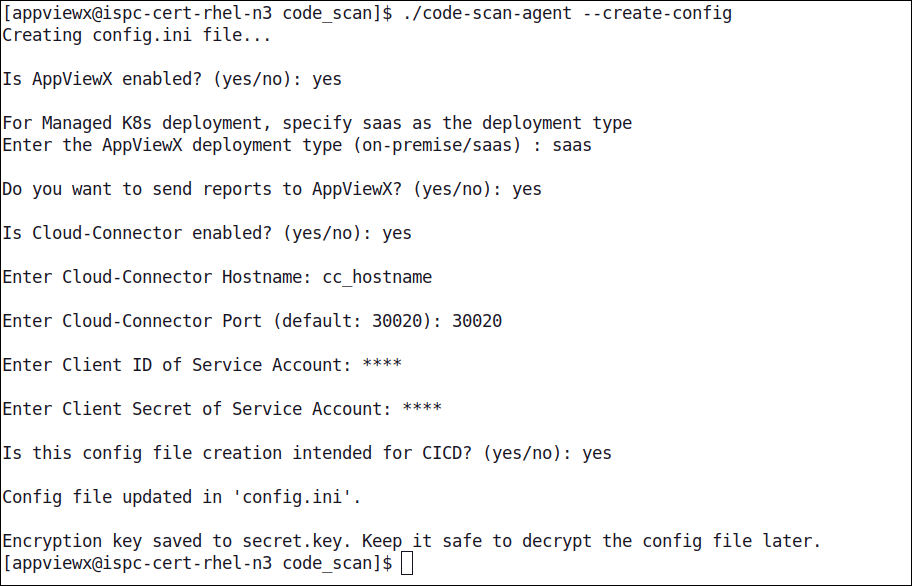
For agent running in CICD using Tenant Hostname
for communication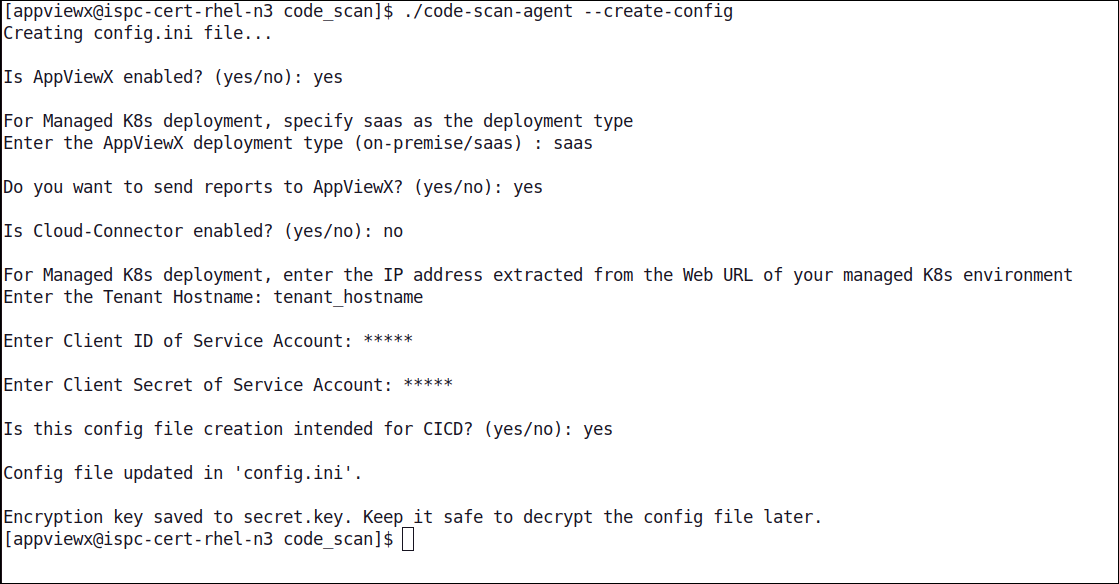
For agent running in local
file system in On-Premise environment