Accessing SSH+ Features
To access SSH+:
- Log into AppViewX with valid credentials.
-
Hover the mouse pointer over
 (Menu) icon on the top-left corner of the
screen.
(Menu) icon on the top-left corner of the
screen.
-
From the left pane, click SSH+. You can now see the different menus of
SSH+ on the left hand side of the page.
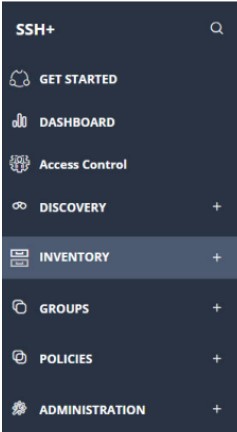
-
From the left pane, expand any of the nodes to see that page.
Note: For detailed functionalities, refer to the SSH+ User Guide.