Clone a Rule
-
Click
 and select Account > User group >
Quick Config.
and select Account > User group >
Quick Config.
- Navigate to Resources stage as part of the RBAC Configuration wizard flow.
-
Select the rule you want to clone either from Rules tab or from Store
tab.
Note: Store tab consists of predefined rule templates which can be viewed to understand possible resource tagging options.
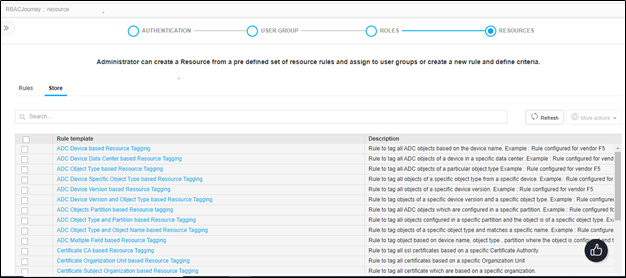
- From the More Actions dropdown, click Clone.
-
In the screen that appears, enter a Name for the cloned rule and click
Save.
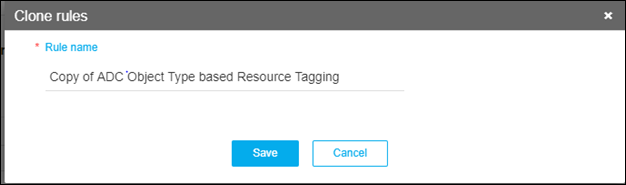 Rule details will be closed and will be opened in edit mode for any further modification on description/rule conditions.
 - Once the rule is saved, Enable the rule by clicking on the respective status icon for the rule to be actively running in the rules inventory table.