Delete a User Group
Note: You cannot delete a user group that has active users in
it.
-
Click
 and select Account > User group >
Quick Config.
and select Account > User group >
Quick Config.
- Navigate to User group stage as part of the RBAC Configuration wizard flow.
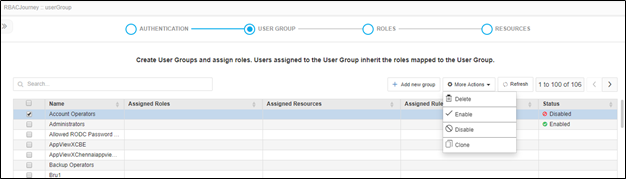
- In the user group list, select the checkbox beside the group you want to delete.
- Click the Delete option in the More Actions dropdown.
-
On the confirmation screen that pops up, click Yes.