Loop
Loop task allows for repeated execution of a task or sub-process based on a specified condition. The Loop task consists of two parts – Start loop and End loop.
- Provision to define a loop for iterative execution of a task or sub-process.
- Provision to resume control to the next iteration of the loop in the event of failure of any task within the loop.
- Provision to define rule or Boolean condition (AND, OR, NOT) to execute the loop variable. If the condition holds true, the loop continues to iterate. If the condition holds false, the loop skips or exists.
- Provision to display the count of iteration in the stage view
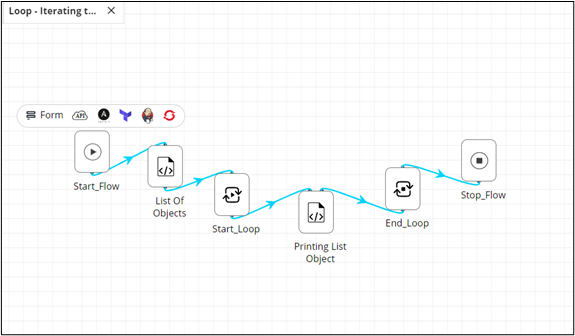
To add a Loop task to your workflow:
- Design a workflow.
- From the General section, drag and drop the Loop task.
-
Define a script to get a list of values.
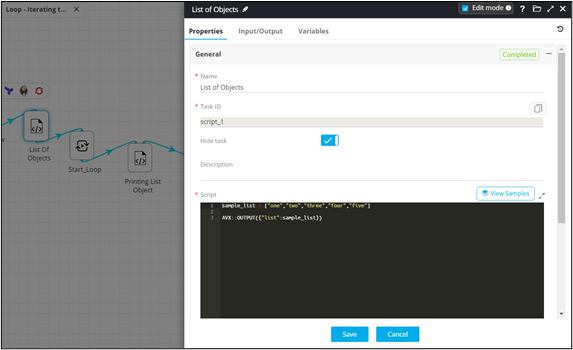
-
Define a sample list of values and declare it as a global variable.
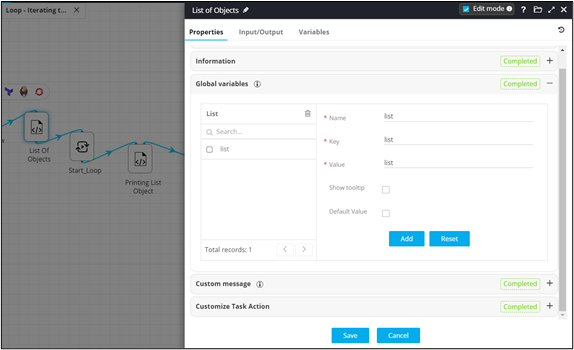
-
Under Loop variables, reference the variable from the
previous task to be used for iteration.
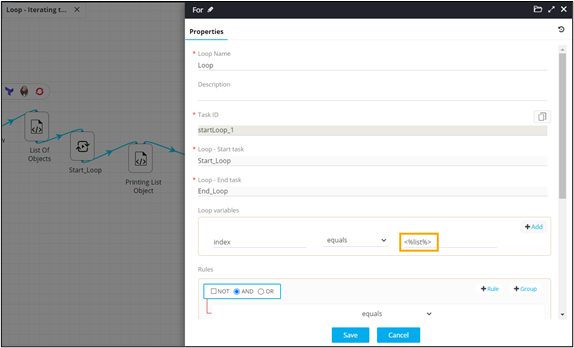
-
Define a Script task for printing list objects.
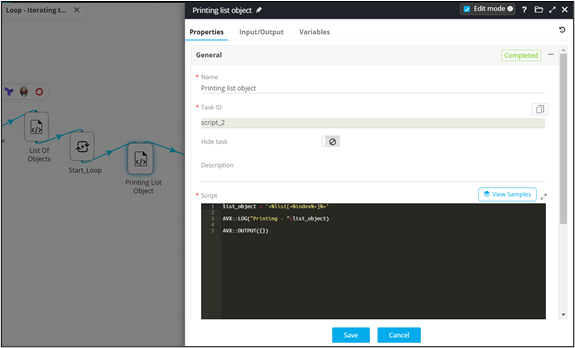
- Connect the workflow tasks.
-
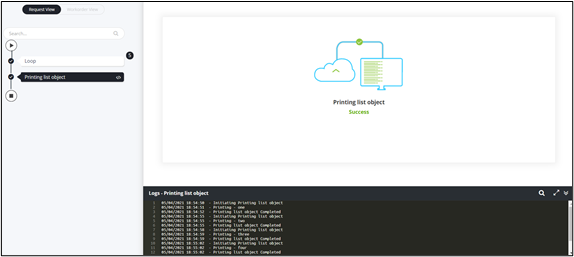
Click Preview.
- Loop execution with iteration count displayed.
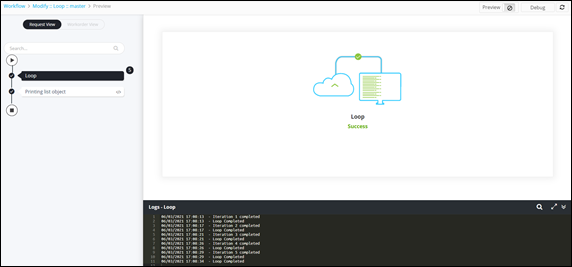
- Printing list objects completed.
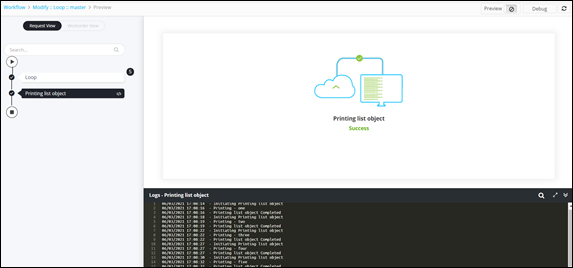
- Loop execution with iteration count displayed.