Role Based Access Control
To get an overview of the actions authorized for a particular user:
-
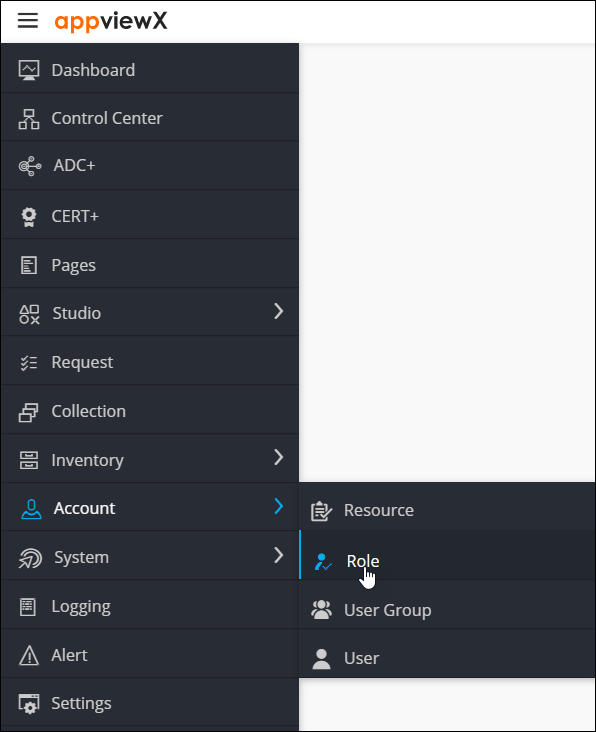
From the top left corner of the screen, click
 .
.
-
From the menu displayed, select Account >
Role.
The Role page is displayed.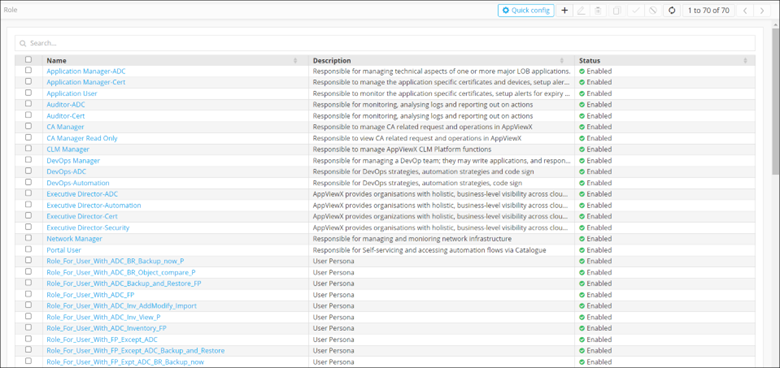
- On the Role page, under the Name column, click on the name for which you want to see the permissions.
- To see the list of actions defined for the selected user, click Authorized functions.
-
Under the Authorized functions tab,
expandStudio and click
Reports. A selected checkbox indicates that the
corresponding action has been authorized for the user.
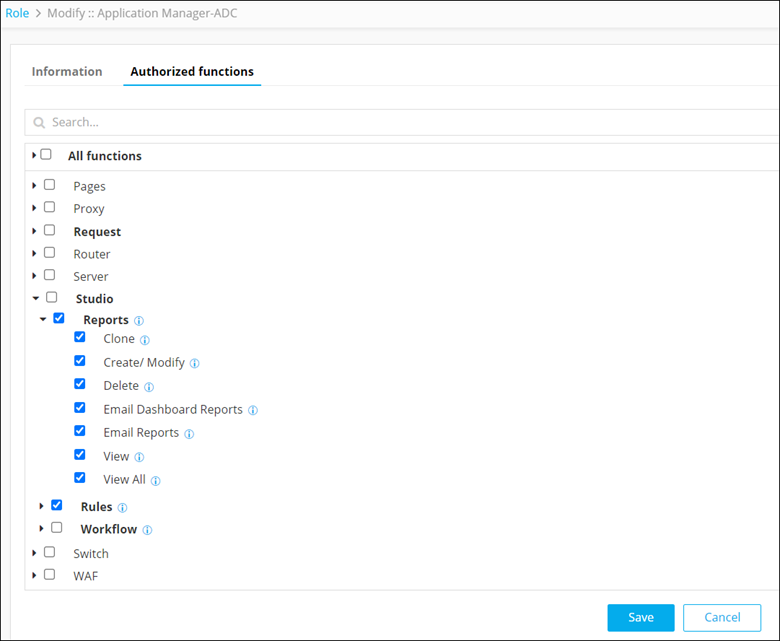
The following table describes the various actions that can be authorized or restricted for a user in the Reports module:Action Description Clone Provision to allow or restrict a user to clone a report. Create/Modify Provision to allow or restrict a user to create or modify a report. Delete Provision to allow or restrict a user to delete an existing report. Email Dashboard Reports Provision to allow or restrict user access to email dashboards in PDF format. Email Reports Provision to allow or restrict user access to email reports in My Reports, Store, Widget in PDF format and manage scheduling. View Provision to allow or restrict a user to view detailed information on existing reports created by the user who is logged in. View All Provision to allow or restrict a user to view detailed information on existing reports created for all the users.