Bulk Renew of the Server Certificates
Note: AppViewX v2021.1.0 onwards, AppViewX provisions the renewal
functionality for certificates issued via Google CA. This is done by utilizing the
certificate's existing CSR or private key details.
Bulk renewal of the certificates can be triggered from the inventory by multiselection certificates.
Users can renew certificates in bulk. Steps to renew certs in bulk:
- Log in to AppViewX application with valid credentials.
- Click the menu button located in the upper left corner of the screen.
The left navigation pane appears.
- Click CERT+.
The CERT+ left navigation pane appears.
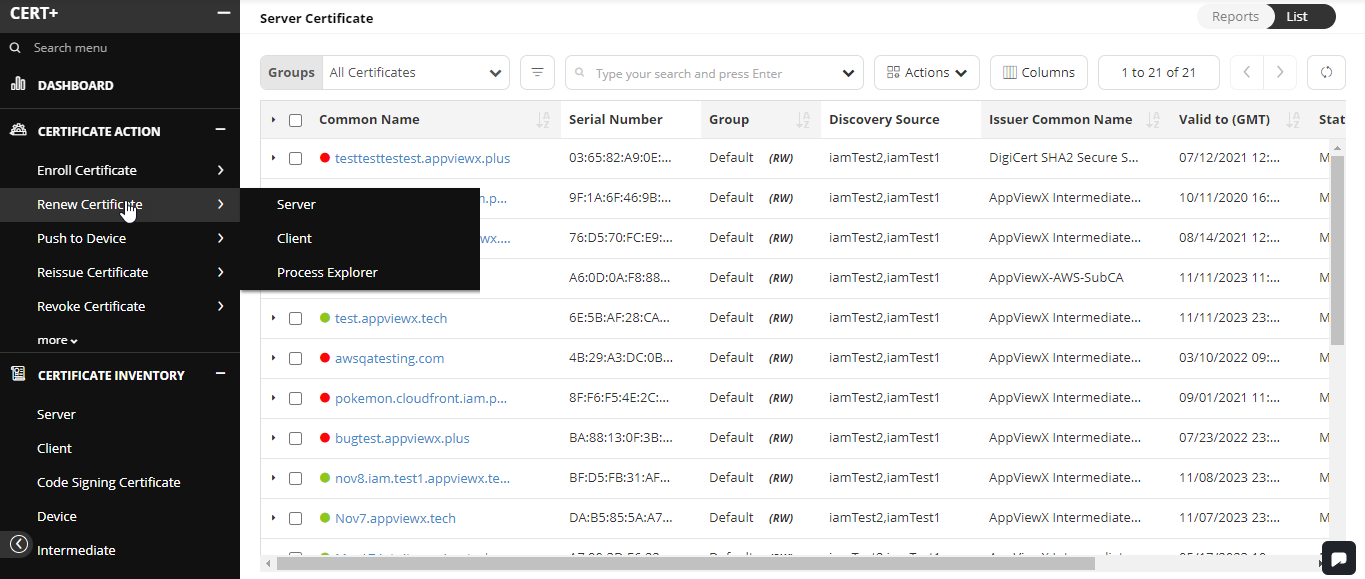
- Expand CERTIFICATE ACTION.
- Select Renew Certificate, and then Server.
The Server Certificate page appears.
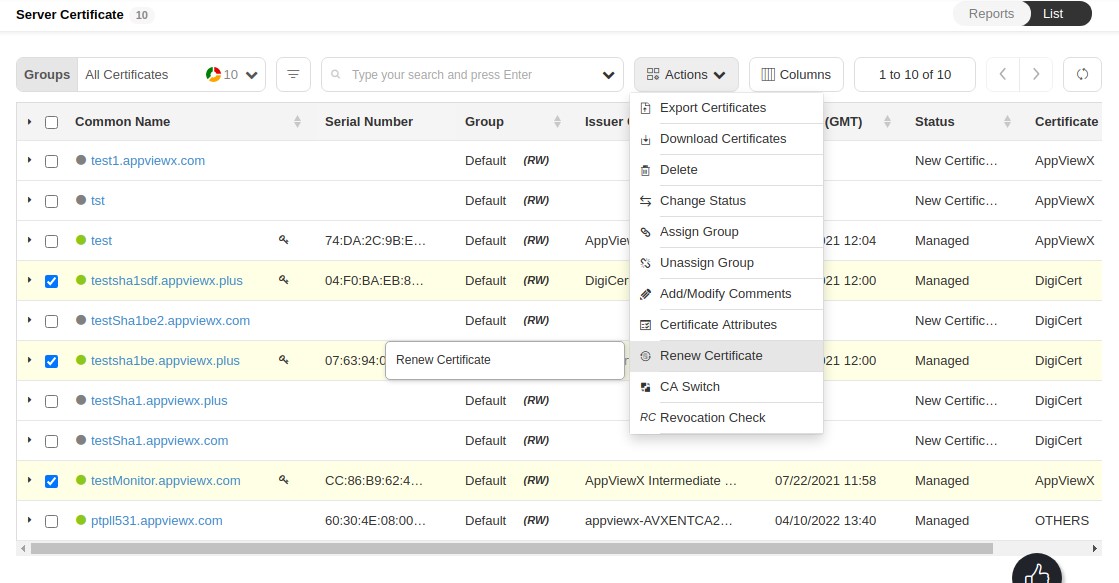
- Click Actions, and then select Renew
Certificate.
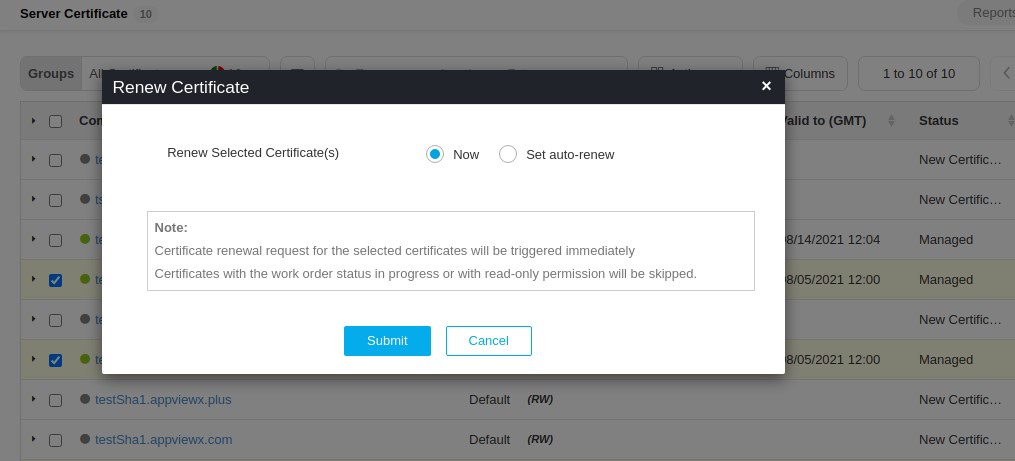
- In the Certificate Renew pop-up window, based on the requirement select
the type of certificate renewal Now or Set
auto-renew.
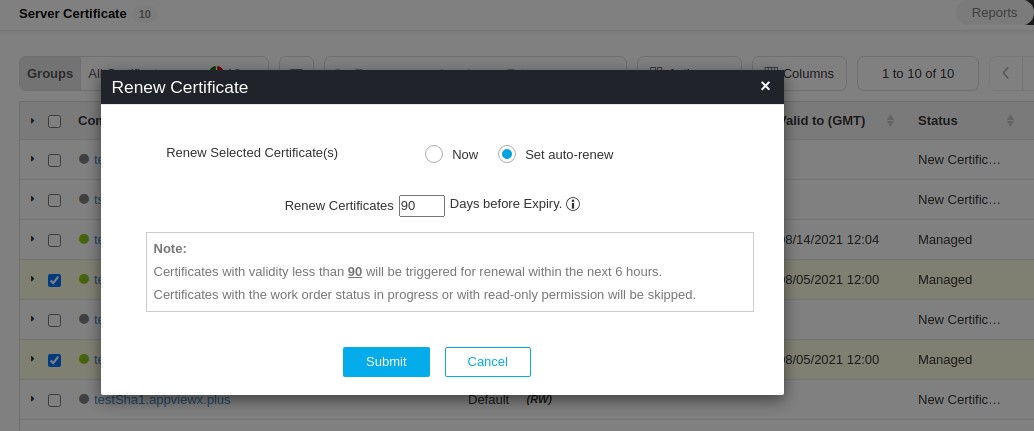
- Select Submit.
- Certificate renewal can be triggered now or auto-renew can be configured for all the certificates selected.
- The status of the trigger now can be monitored under process explorer.