Troubleshooting the AppViewX Windows Gateway
| Error | Solution |
|---|---|
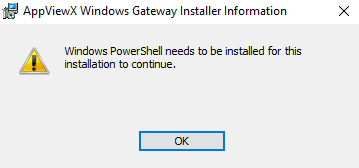
|
Install Windows Powershell before proceeding with the AppViewX Windows Gateway installation. |
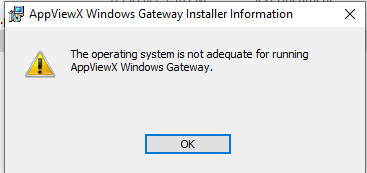 |
Ensure that the operating system on the target machine fulfills the software requirements for installing the AppViewX Windows Gateway. |
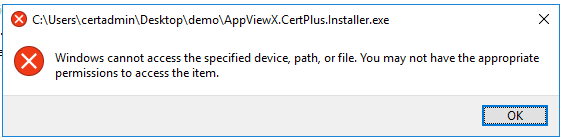 |
The user attempting to access the specified device, path, or file should have admin access. |
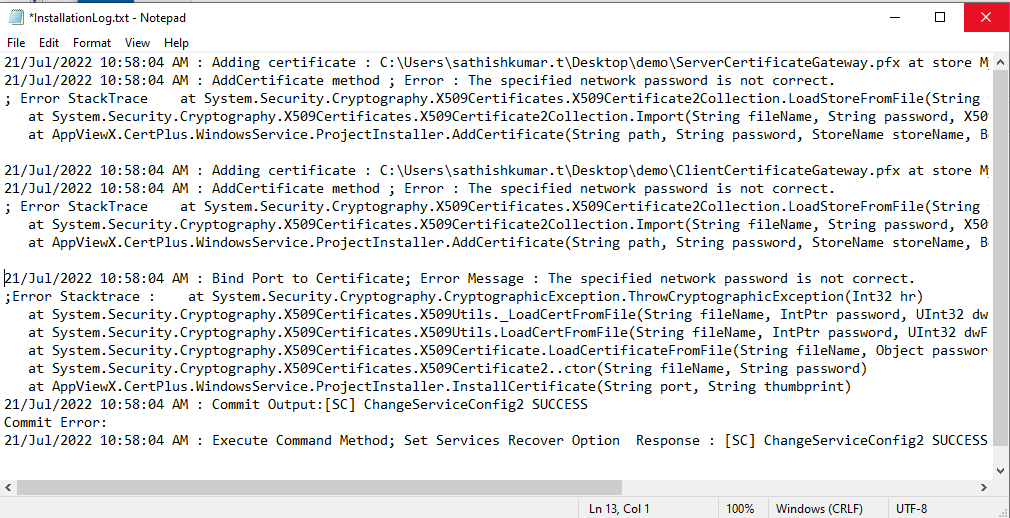 |
If you see the following message in the InstallationLog.txt file: The
specified network password is not correct, check your username and password. Note: The InstallationLog.txt can be found in the
download package for the installer (downloaded in step 1 here).
|
|
767cf2b6-bfc3-45a0-9490-a95cf841e693: Connecting to remote server <machine name> failed with the following error message : WinRM cannot process the request. The following error occurred while using Kerberos authentication: The computer <name> is unknown to Kerberos. Verify that the computer exists on the network, that the name provided is spelled correctly, and that the Kerberos configuration for accessing the computer is correct. The most common Kerberos configuration issue is that an SPN with the format HTTP/<machine name> is not configured for the target. If Kerberos is not required, specify the Negotiate authentication mechanism and resubmit the operation. |
|
|
Retrieving the COM class factory for remote component with CLSID. |
|
|
PowerShell ScriptExecution Error: Access is denied. 0x80070005 (WIN32: 5) OR Error Code 0x80070005 - Access is denied. |
|
|
Connecting to remote server <machine name> failed with the following error message: WinRM cannot process the request. The following error with error code 0x80090322 occurred while using Negotiate authentication: An unknown security error occurred. |
|
|
The WinRM client received an HTTP status code of 502 from the remote WS-Management service. |
|
|
41783361-015b-453f-b321-e31709b1850c: Connecting to remote server <machine name> failed with the following error message : Access is denied. |
|
|
The client cannot connect to the destination specified in the request. Verify that the service on the destination is running and is accepting requests. Consult the logs and documentation for the WS-Management service running on the destination, most commonly IIS or WinRM. If the destination is the WinRM service, run the following command on the destination to analyze and configure the WinRM service: "winrm quickconfig". |
|
|
d4f98a6a-41ef-4864-9848-03a07e113d75: CCertRequest::Submit: The RPC server is unavailable. 0x800706ba (WIN32: 1722 RPC_S_SERVER_UNAVAILABLE). |
Go to the target machine and start the RPC service if it is stopped. |
|
727838ed-151e-46bf-883c-07ccb3a3989f: Connecting to remote server <machine name> failed with the following error message : The user name or password is incorrect. . |
|
|
fd3812f9-030a-421c-81e7-0e0510ce49e0: Access to the path '\\<machine name>\C$\\Windows\\Temp\\qgwwkqi3.fff' is denied. |
|
|
More than five connections are not allowed. |
|
|
Connecting to remote server failed with the following error message: The WS-Management service cannot process the request. This user is allowed a maximum number of 4 concurrent shells, which has been exceeded. Close existing shells or raise the quota for this user. |
|
|
Client Certificate gives Permission Denied 403 errors. This can happen in a certain environment and its intermittent. |
|
|
The permission on the certificate template do not allow the current user to enroll for this type of certificate. |
|
|
An attempt was made to open a Certification Authority database session, but there are already too many active sessions" on a request using CERTADMINLib.IenumCERTVIEWROW.Next(). |
In the CA server, navigate to the registry through the regedit command and set the following:
|
|
803f4314-3a11-486a-87e5-367b8c5c6f9f: The user name or password is incorrect.rn |
|
|
42abe1ef-2bff-40e8-82e2-c97c5707a0c1: Connecting to remote server <machine name> failed with the following error message : The user name or password is incorrect. |
The user name or password is incorrect. |
|
Connecting to remote server <machine name> failed with the following error message: WinRM cannot complete the operation. Verify that the specified computer name is valid, that the computer is accessible over the network, and that a firewall exception for the WinRM service is enabled and allows access from this computer. By default, the WinRM firewall exception for public profiles limits accesses to remote computers within the same local subnet. |
|
|
There is not enough space on the disk. |
Ensure that your hard disk has enough free space. |
|
Management Connect to remote machine <machine name> as user failed with the following error User credentials cannot be used for local connections. |
|
|
Denied by Policy Module 0x80094800, The request was for a certificate template that is not supported by the Active Directory Certificate Services policy: WebServer1. |
Use template name instead of the template display name. |
|
Device Communication failed while using Native option to connect to CA remotely. |
|
|
Certificate Request (CSR) is using a different account to request a certificate from CA as compared to the account configured in AppViewX. |
|