Authentication for Google SMTP Settings
Create authorization credentials
Any application that uses OAuth 2.0 to access Google APIs must have authorization credentials that identify the application to Google's OAuth 2.0 server. The following steps explain how to create credentials for your project. Your applications can then use the credentials to access APIs that you have enabled for that project.
-
Google App Registration URL: https://console.cloud.google.com/.
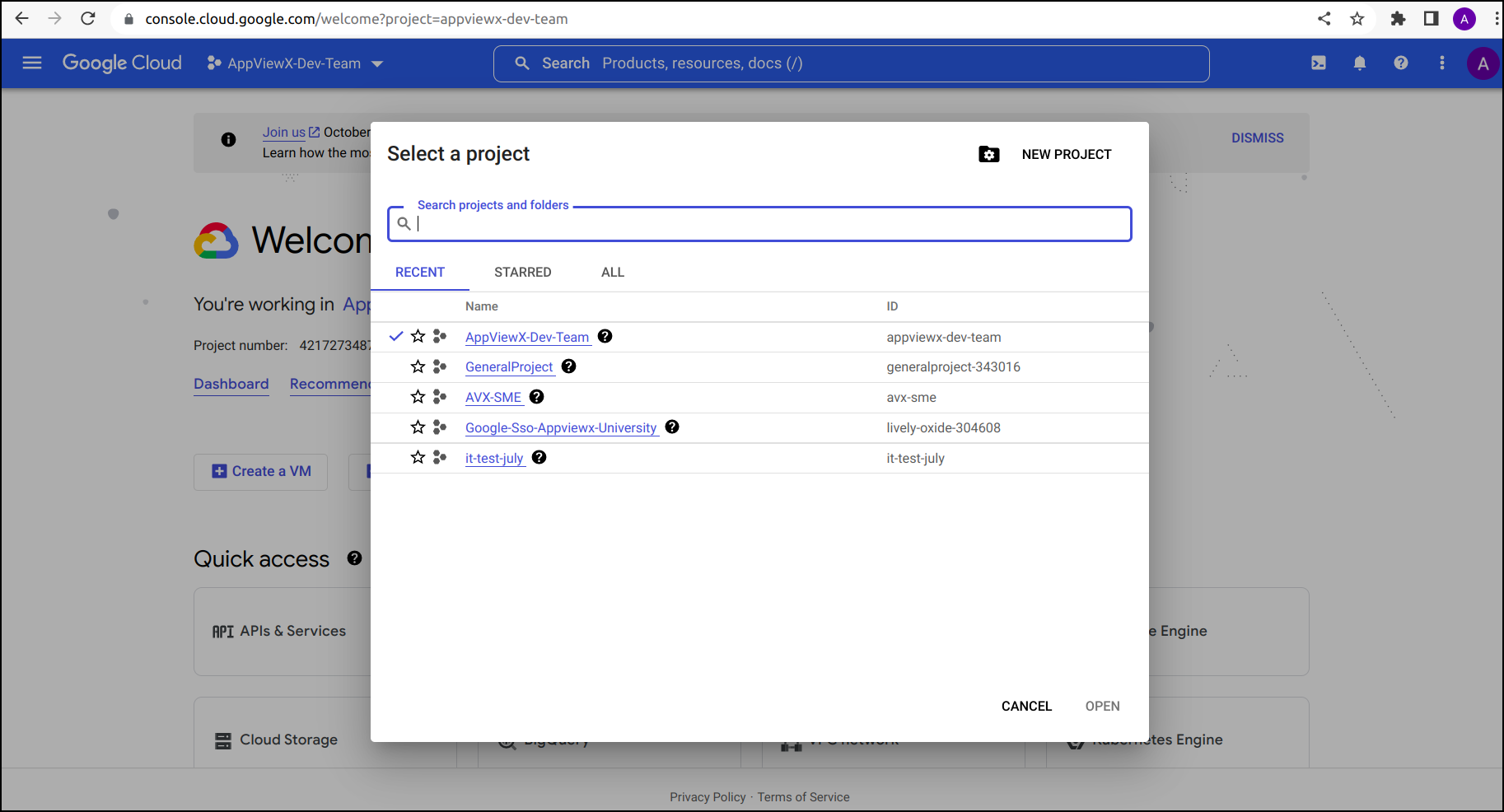
- From the project drop-down, select an existing project, or create a new one by clicking on NEW PROJECT.
-
In the sidebar hover the mouse pointer over the "APIs & Services", click
OAuth consent screen.
The OAuth consent screen:: App information page is displayed.
.png)
.png)
-
In the App information section, enter the required field information.
App name*, User support email*, Authorized domains,
and
Developer contact information, then click Save &
Continue.
The Save & Continue :: Scopes page is displayed.
.png)
- Under Scopes section, ADD SCOPES required information.
-
In the sidebar hover the mouse pointer over the "APIs & Services", click
Credentials.
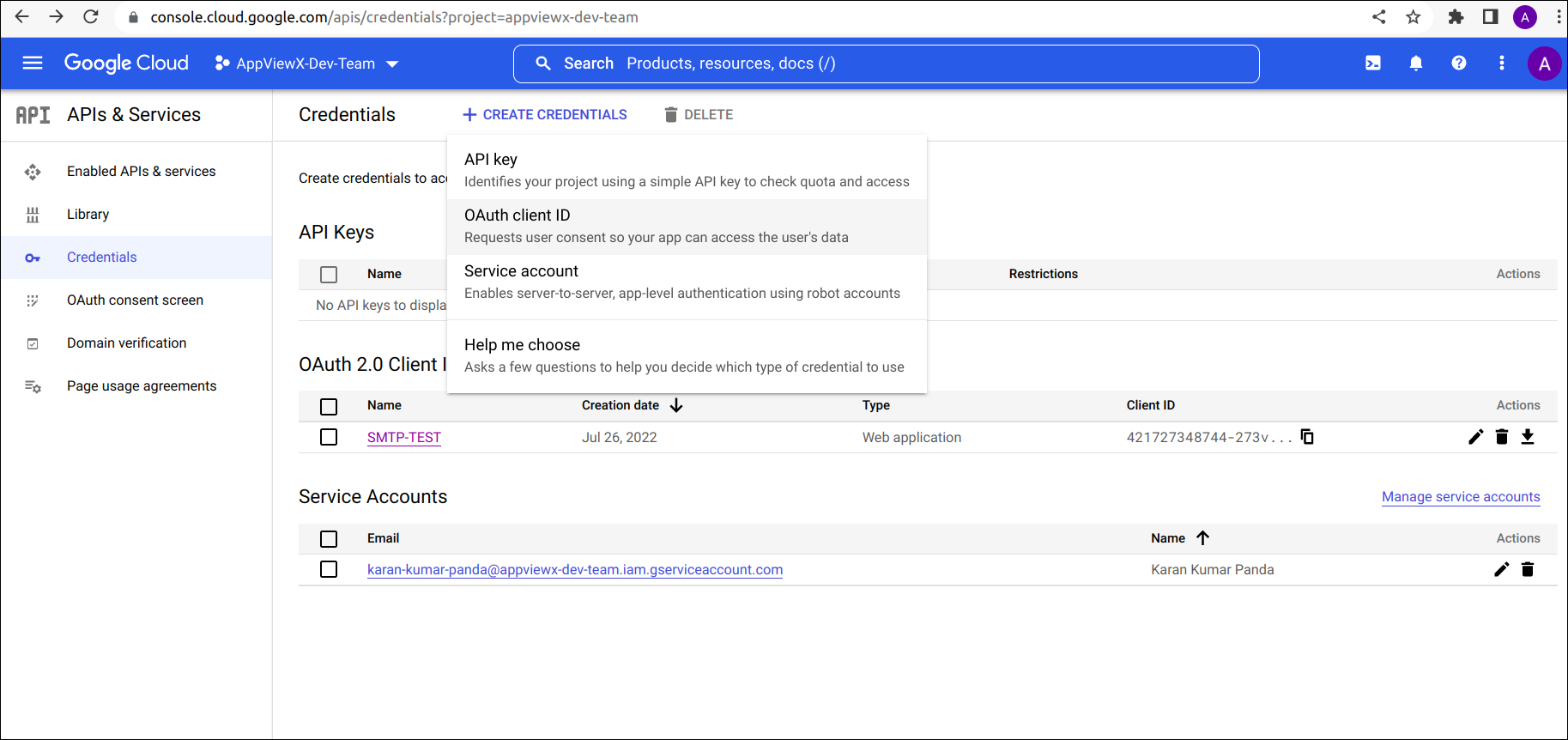
The APIs & Services :: Credentials page is displayed.
-
In the Credentials tab, click the +CREATE CREDENTIALS, from the
drop-down list, choose OAuth client ID.
The +CREATE CREDENTIALS :: Create OAuth client ID page is displayed.
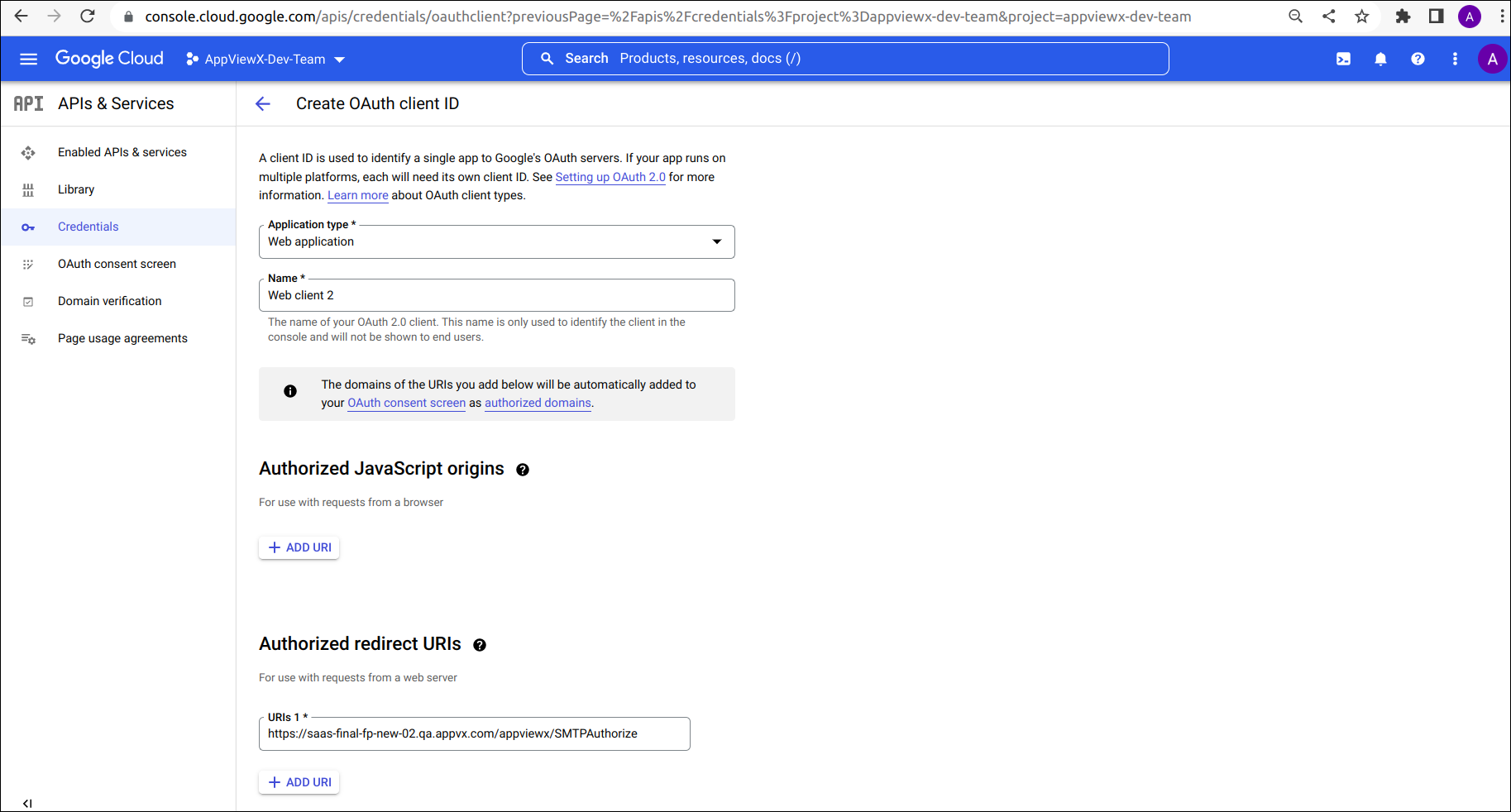
- Enter the required field information, for Application type* select Web application and specify Name* then click Save.
-
Displays confirmation of OAuth client Created, with Your Client ID and
Your Client Secret.
.png)
- Copy the Client ID and Client Secret for Authentication of SMTP Server Settings.
- Authorization endpoint URL: https://accounts.google.com/o/oauth2/v2/auth.
- Token endpoint URL: https://oauth2.googleapis.com/token.