Validation Settings
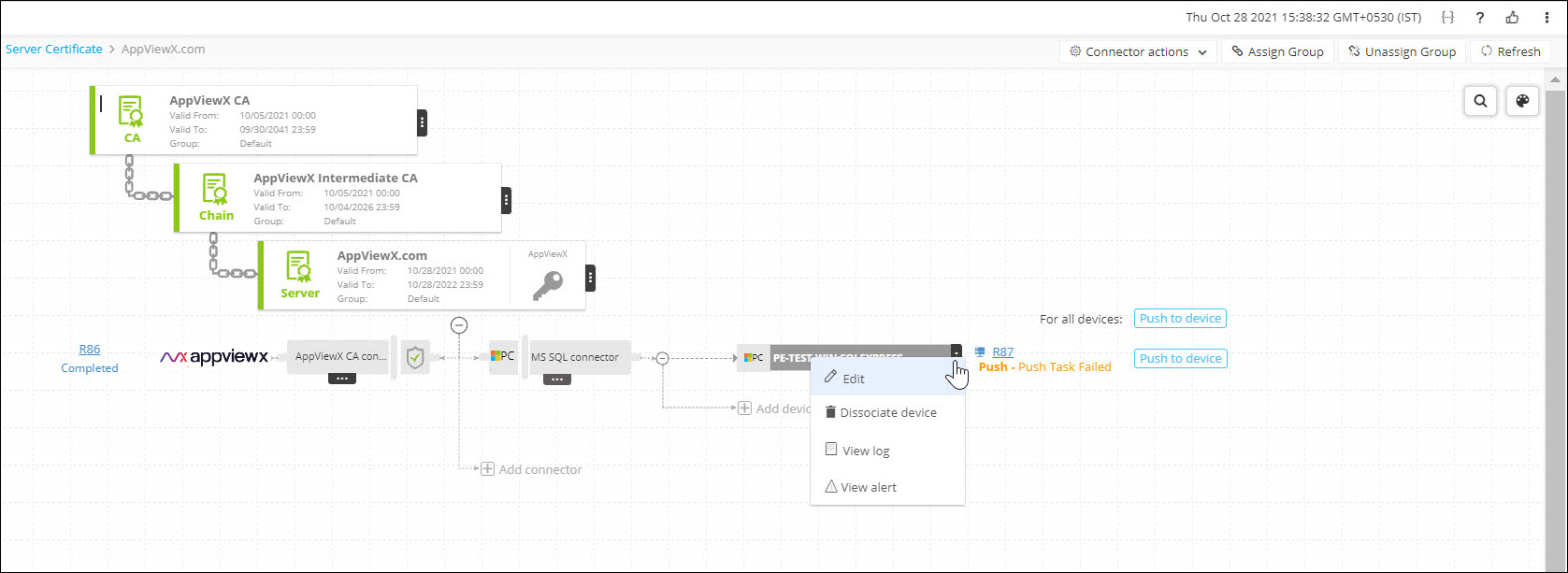
- From the Certificate Inventory, click the Common Name link to view the certificate in the holistic view.
-
Hover the mouse over the More (
 ) icon of the application connector
and click Edit.
) icon of the application connector
and click Edit.
The Edit Application Connector page is displayed.
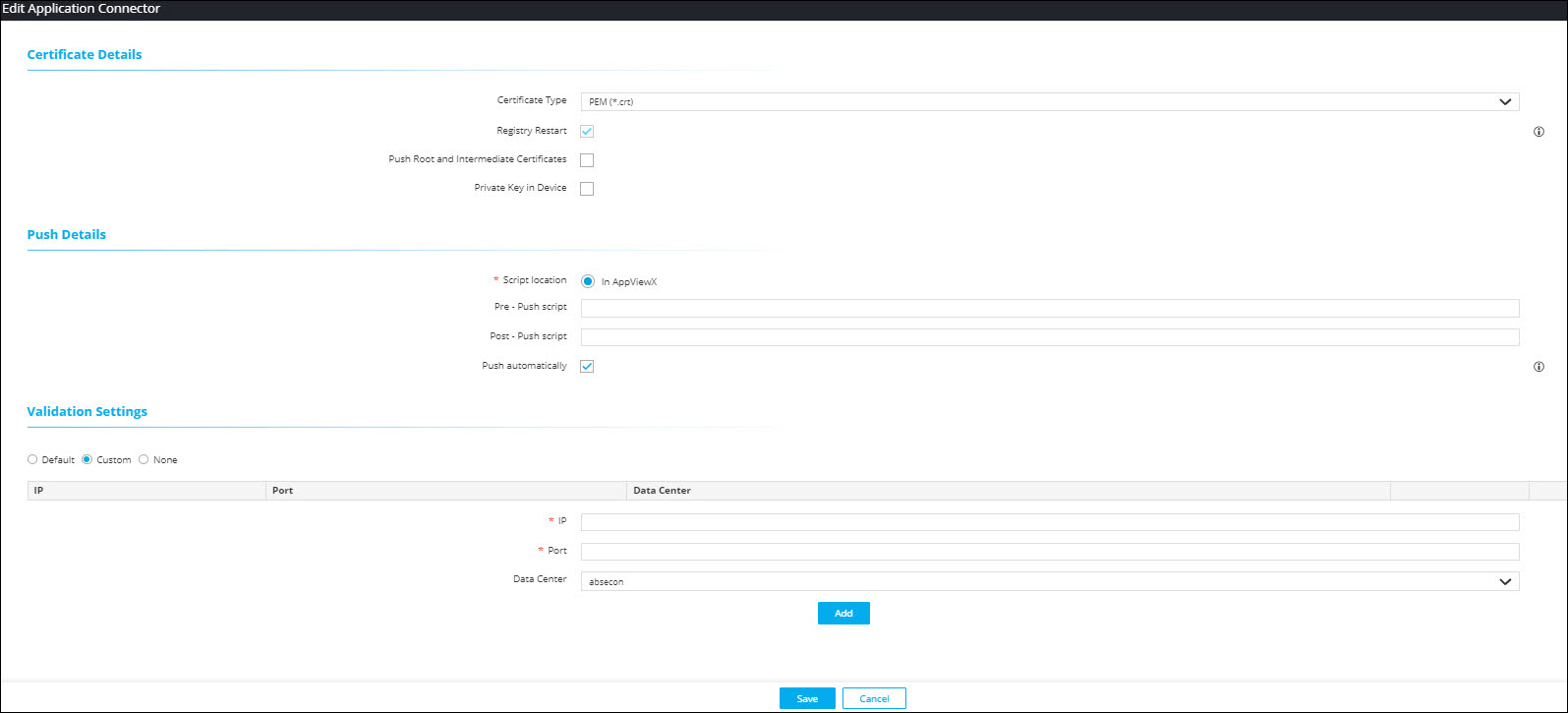
- Select Custom option.
-
In the Validation
Settings section, select the data center from the
dropdown list.
This ensures that for any validation check, this is treated as high priority.