Deleting Rule
To delete a rule,
-
From the CERT+ menu, under
CERTIFICATE DISCOVERY, select Rules.
The Rules page is displayed.
- For the Rule Name you want to delete, select the corresponding checkbox.
-
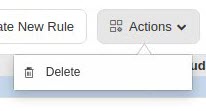
From the Actions dropdown menu, click Delete.