Reissuing Client Certificate
To reissue a client certificate:
-
From the CERT+ main menu, under CERTIFICATE ACTION, select
Reissue Certificate >
Client
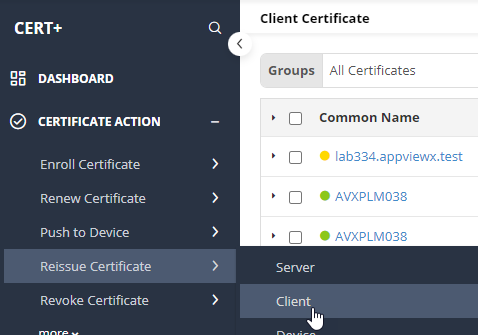 The Client Certificate page is displayed.
 -
To reissue a certificate,under Common Name, select the required
certificate name.
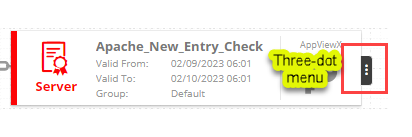
The certificate topology view for the selected certificate is displayed.
-
From the three-dot menu for the certificate, click Renew.
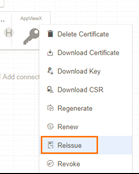 The Client Certificate > Reissue page is displayed.
On the Client Certificate > Reissue page, if required, you can edit the Subject Alternate Names. The Key Type, Bit Length, Vendor Specific Details, Attachments, Generic Fields, Vendor-Specific Details, and Custom Attributes can also be modified.
- Click Reissue.
- In the Reissue dialog box, enter the Reason for removal and any additional details as Comments.
-
Click Yes.
The reissue process is initiated, as is displayed in the certificate topology view, alongside the connector
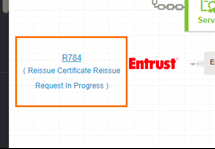 If the
Approval Required checkbox is enabled on the Certificate
Policy page, the request goes to the Approve and
Implementation stages.
If the
Approval Required checkbox is enabled on the Certificate
Policy page, the request goes to the Approve and
Implementation stages. -
To approve the reissue request, from the certificate topology view, click
Approve.
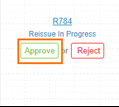
- In the Approvedialog box, enter your Comments.
- Click Yes.
- If the workflow request has to be approved automatically in the future, click Schedule later.
-
Click Implement.
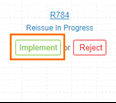
- In the Implement dialog box, enter your Comments.
- Click Yes.
-
If the workflow request has to be approved automatically in the future, click
Schedule later.
After the certificate is reissued, the the status updates to Completed.
