Updating Certificate Attributes
-
Go to
 (Menu) > SIGN+ >
ADMINISTRATION > Attributes and Tags.
The Certificate Attributes page is displayed.
(Menu) > SIGN+ >
ADMINISTRATION > Attributes and Tags.
The Certificate Attributes page is displayed. -
From the Actions column, click
 (Edit) icon.
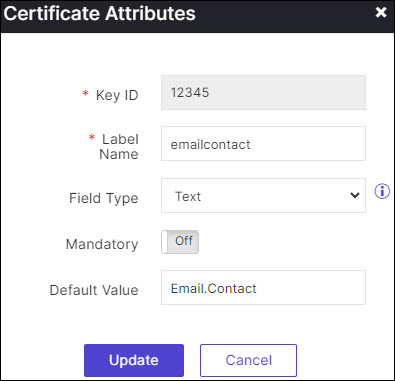
The Certificate Attributes update pop-up is displayed.
(Edit) icon.
The Certificate Attributes update pop-up is displayed. - Edit the certificate attribute configuration.
-
Click Update.
The certificate attribute is updated.