Downloading Certificate
Code Signing certificates can be downloaded via holistic view only one certificate at a time in multiple formats as PEM, DER, PKCS#7, PKCS#12, and JKS. PKCS#12 and JKS can be downloaded only with the password-protected certificate.
To download code signing certificate:
- On the Code Signing Certificate page, select the certificate that you want to download.
- Hover over the three-dot menu for the certificate, and then click Download
Certificate.
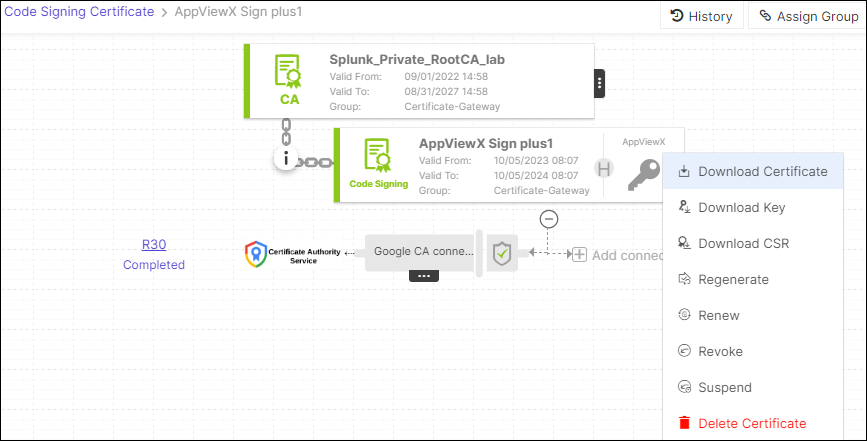
- The Download Certificates pop-up window is displayed.
- In the Download Certificate pop-up window, select Certificates Type.
- You can also enable/disable Download Truststore Certificates
option along with the end certificates. Note: If you have permission to view the restricted content mentioned in Step, the certificate details are downloaded with <.zip> file. If you do not have the necessary permissions, the system creates and downloads an empty <.zip> file to the destination you specify.
- The system enables the Secret Passphrase field when you
select the Certificates and Keys option. Enter a passphrase
to encrypt the contents into a
<.ZIP>file.
- In the Download Certificate dialog box, enter or select the requested
field information.
Table 1. Field Description for Download Certificate Field Description Choose Download Type Select the certificate download type as: - Certificate Only
- Certificate and Keys
Download Truststore Certificates Turn on this toggle to download truststore certificates. Set Password for Keystore Enter a passphrase to encrypt the contents into a .zip file. - Click Yes.
- To view details of the certificate, unzip the file and open the security certificate file.
- Click Details.