Downloading Key
To download key for code signing certificate:
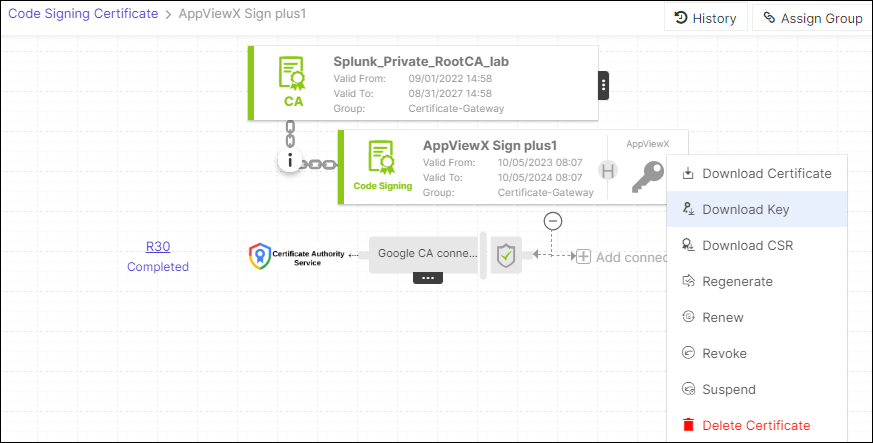
- On the Code Signing Certificate page, select the certificate for which you want to download the key.
- Hover over the three-dot menu for the certificate, and then click Download
Key.
- The Download Key pop-up window is displayed.
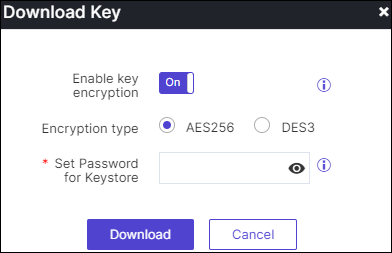
- If the Enable key encryption is enabled, Encryption type option is
displayed select the required encryption type.
When the Enable key encryption is enabled, the Encryption type option becomes visible for selecting the desired encryption type.
- Set Password for Keystoreto encrypt the content into .ZIP file.
- Click Download.
The selected certificate key will be Downloaded.