Version Control
- Provision to version control the catalogs.
- Provision to edit/configure page elements in each version.
- Version control allows for tracking up to ten versions of the catalog.
- Provision to edit and delete versions.
- Provision to preview another version in a new tab/window while working on the current version.
To add a new version:
- From the master dropdown menu, select Add Version.
-
Select the Source and enter a Version name.
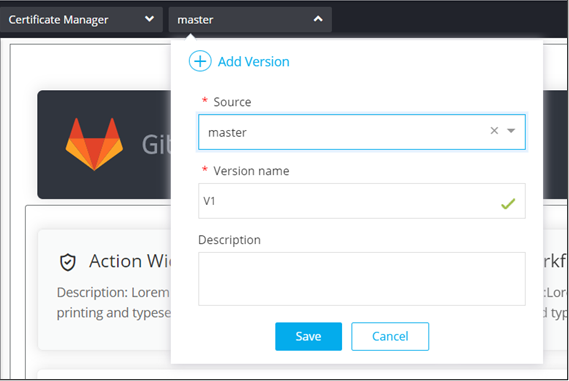
- Click Save.
-
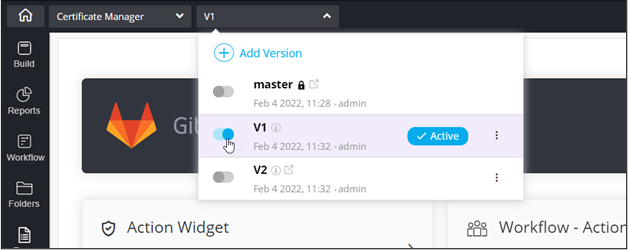
To mark a particular version as the active version for the catalog, enable the
toggle next to it.
-
For more options, click
 .
.
-
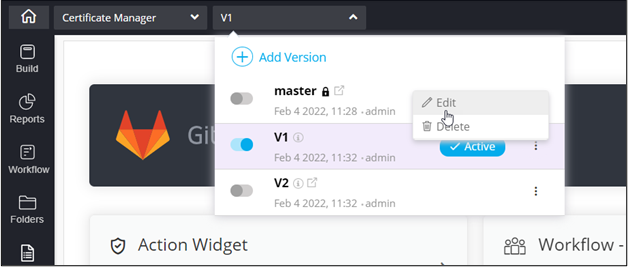
To edit the version details, from the options displayed, click Edit.
-
Edit the version details and click Update.
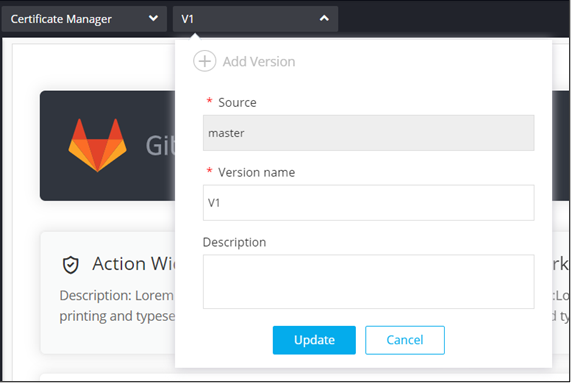
Important:The master version cannot be edited. -
To delete the version, click .
-
From the options displayed, click Delete.
Important:The master version or any active version cannot be deleted.