Alerts Inventory
Alert inventory lists ADC alerts that are available within AppViewX. It provides an overview of all the different types of alerts that can be generated or triggered, along with their corresponding details and configurations. The alert inventory helps in effectively managing and monitoring various events, incidents, or issues by providing a centralized reference for understanding and handling alerts. It allows you to have a clear understanding of the alerts they can expect and facilitates efficient alert management and response.
For the ADC Alert Inventory, go to Menu > ADC+ > ALERTS & LOGS > Alerts > ADC tab.
-
Search for alerts.
set the rows displayed on the page by hovering the mouse over the Entries.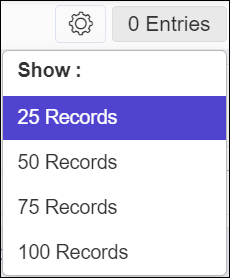
-
Filter the alerts based on the date range by clicking
 and/or column name by clicking
  .
.
| Column Name | Description |
|---|---|
| Timestamp | Date and time when the alert generation. |
| ID | Unique identification of the alert. |
| Event type | Type of event for which the alert notification is configured refers to the specific category that triggers the alert. |
| Severity | The severity assigned to the alert. The
severity levels are:
|
| Category | Category of the alert notification. The
categories are:
|
| Devices | IP address of the device for which the alert notification has been configured. |
| Applications | Name of the application. |
| Purpose/Usage | The message for which the alert notification is created for. |
| Alert detail | The message for the alert notification
typically includes essential information about the triggered event.
It provides enough details to help administrators quickly understand
the nature of the alert. Sample message: |