Automation Collision 
- Check all the pending workflow requests for duplicate object names such as virtual server, pool member, and monitors.
- Check all the pending workflow requests for any variables used within a workflow.
- Approve or reject the workflow requests based on duplicate configuration validation.
To check for duplicate configurations when designing a workflow to create a virtual server:
- Design a workflow.
- From the User Interface section, drag and drop a Form task.
-
Add the form
fields for creating a virtual server.
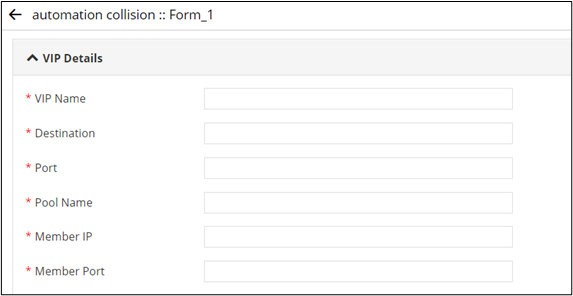
-
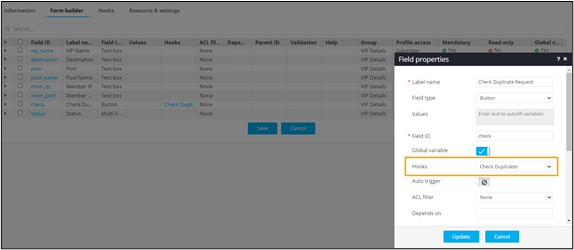
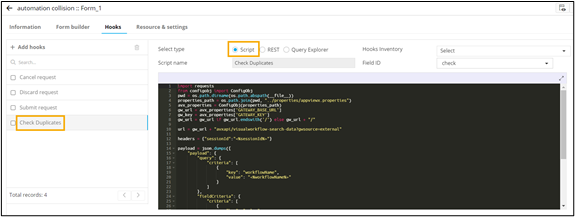
Add a button field to check for duplicate configurations using a Script logic.
- Connect the workflow tasks and enable the workflow.
-
Trigger the workflow.
Workflow is executed successfully.