Configuring ServiceNow
To configure CMDB and sync the IP assets from the CMDB. DDI+ platform must be configured with tables in CMDB which have IP asset information. IP asset information and its associated data can be present in one or multiple tables.
To configure ServiceNow:
-
Go to DDI+ > INTEGRATION HUB, and
then click Add new vendor.
The Select vendor page is displayed.
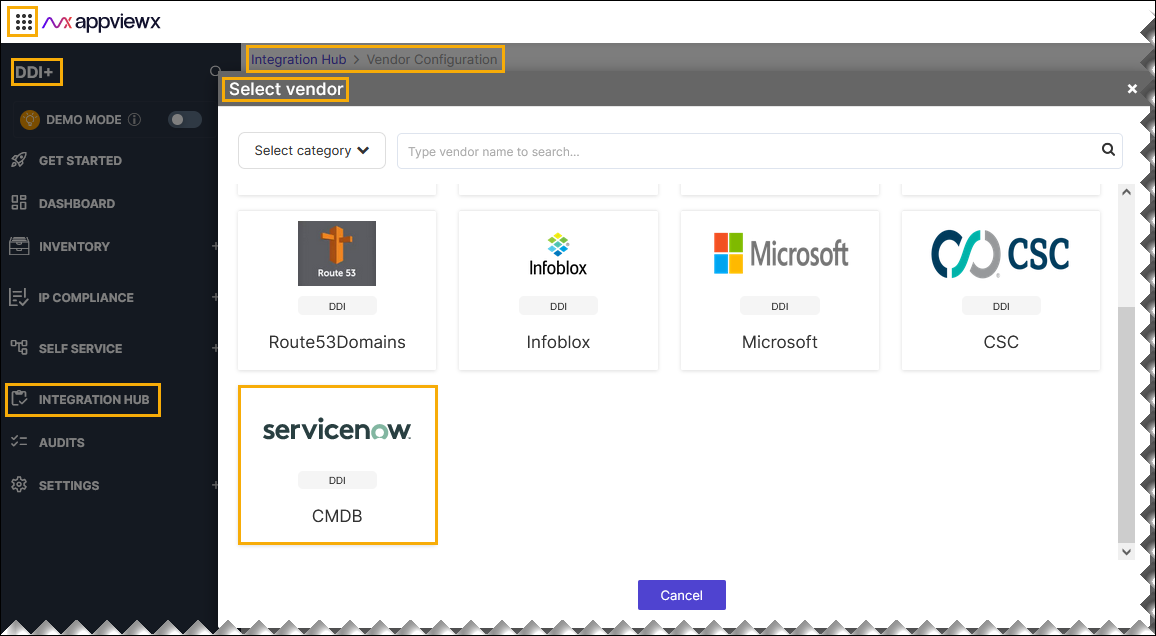
- On the Select Vendor page, click ServiceNow.
-
On the Vendor Configuration page, under the
Information section, enter or select the required
field information.
The following table describes the various fields in this section:
Field Description *Name Enter a unique name to identify the vendor account which is being configured. Description Enter a description for the purpose of configuring this vendor, if required. Data center Select a data center from the options available in the dropdown list. *: Mandatory fields -
On the Vendor Configuration page, under the Credentials section,
enter or select the required field information.
The following table describes the various fields in this section:
Field Description Auth type Displays the Basic Auth method of authentication selected by default. *Username Enter valid username. *URL Enter API URL for the vendor with the HTTPS/HTTP protocol. *Password Enter the valid password. *: Mandatory fields - Enable Config sync for parsing the vendor
-
On the Vendor Configuration page, under the Configurations
section, turn on the Enable Advanced Config toggle to add additional
vendor configuration attributes.
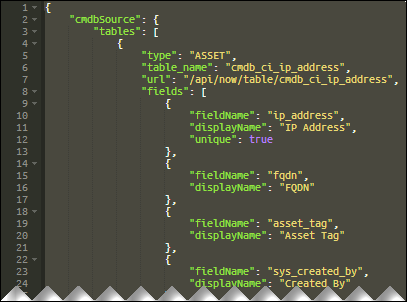 Sample Schema:
{ "avxPaginationLimit": 10000, "paginationLimit": 10000, "deltaSync": true, "orphanIP": { "condition": "ALL", "dataFields": [ "ITAM ID", "Owned By" ] }, "tables": [ { "type": "ASSET", "table_name": "cmdb_ip_address", "url": "/api/now/table/cmdb_ci_ip_address", "fields": [ { "fieldName": "ip_address", "displayName": "IP Address", "unique": true }, { "fieldName": "asset_tag", "displayName": "ITAM ID" }, { "fieldName": "subcategory", "displayName": "Sub Category" }, { "fieldName": "short_description", "displayName": "Technology Stack" }, { "fieldName": "category", "displayName": "Category" }, { "fieldName": "operational_status", "displayName": "Operation Status" }, { "fieldName": "owned_by", "displayName": "Owned By" }, { "fieldName": "business_unit", "displayName": "Business Unit" }, { "fieldName": "install_status", "displayName": "Installation Status" }, { "fieldName": "vendor", "displayName": "Vendor" } ] }, { "type": "META", "table_name": "cmdb_ci_service_discovered", "url": "/api/now/table/cmdb_ci_service_discovered", "fields": [ { "fieldName": "operational_status", "displayName": "Operational Status" }, { "fieldName": "number", "displayName": "Number" }, { "fieldName": "used_for", "displayName": "Used for" }, { "fieldName": "process_status", "displayName": "Process Status" }, { "fieldName": "service_status", "displayName": "Service Status" }, { "fieldName": "busines_criticality", "displayName": "Business Criticality" }, { "fieldName": "managed_by", "displayName": "Managed By" }, { "fieldName": "vendor", "displayName": "Vendor" }, { "fieldName": "assigned_to", "displayName": "Assinged To" }, { "fieldName": "asset_tag", "displayName": "Asset Tag", "correlationField": "ITAM ID" }, { "fieldName": "install_status", "displayName": "Installation Name" }, { "fieldName": "name", "displayName": "App Service Name" }, { "fieldName": "location", "displayName": "Location" } ] } ] }The following table explains the strings in the JSON schema:
Table 1. Strings Description avxPaginationLimit CMDB Data Fetch within AppViewX. Note: This pagination limit specifies the number of records processed in each pagination cycle, crucial for establishing a correlation within AppViewX between CMDB and IP data.paginationLimit CMDB Data Fetch Limit per Vendor API Call (For example, ServiceNow CMDB API Limit). Note: This API pagination limit specifies the number of CMDB records that can be retrieved in a single API call from ServiceNow.deltaSync This is a boolean value true/false.
True: After the initial synchronization, AppViewX will only sync the changes that have been updated in the CMDB since the last configuration fetch.
False: At config sync all the CMDB tables data will be fetched.
orphanIP OrphanIP setting is to identify orphan IPs based on certain conditions. condition ALL - All Specified fields should have data else the IP will be considered as orphan.
ANYONE - Any one specified field should have data else the IP will be considered as orphan.
dataFields List of CMDB Data Fields need to be validated for Orphan IP Logic; Enter the displayLable name for the fields. tables List of CMDB Tables data need to be synced. type Type of Table Data: - ASSET - CMDB Asset Data
- META - Meta Data of Asset.
table_name Table name of the data needs to be synced. url URL to fetch the data from the given asset table. fields List of field names from the CMDB table to synced . fieldName Field name from CMDB Table data. displayName Display name for the field in AppViewX. unique Whether field must be considered for data uniqueness or not. The possible value True (or) False. correlationField This configuration specific to CMDB meta data tables config. Link field data between asset table and meta table. *: Mandatory fields - Click Finish.