Application Topology
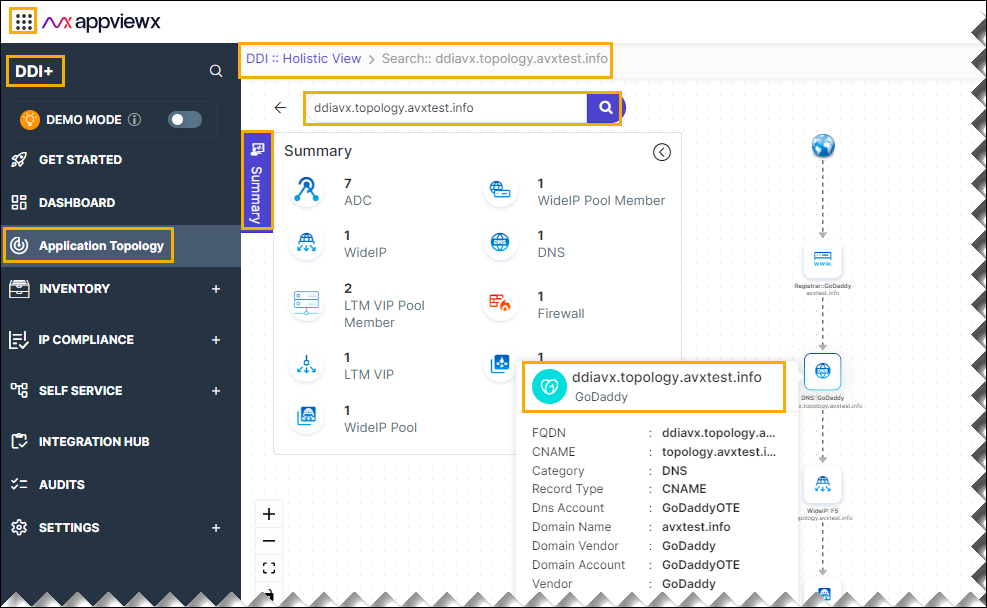
The application topology enables you to get a holistic insight into your application. It enables you to visualize the entire setup, including DNS entries, server pools, and the firewall. The application topology page initially displays a topology map illustrating all services within a specific icon (application) and their interconnections.
To access the application topology, do the following steps.
- Go to DDI+ > APPLICATION
TOPOLOGY.
The Holistic View page is displayed.
- Enter the domain name in the search field, and then click
Search.
The application topology Summary page is displayed.