Integrating Code Signing using Scripts
AppViewX PKCS#11 Provider Integration with Maven Scripts
(pom.xml) to manage project
dependencies, build configurations, and project lifecycles, enabling standardized
builds and efficient dependency management.Prerequisites
- Run the AppViewX SIGN+ Installer to set up the prerequisites for using the AppViewX PKCS#11 Provider with Maven Scripts.
- Ensure Maven is pre-installed.
Sign
Sample Command Generated in README
Note: The commands generated by the SIGN+_Installer
are not standalone and can only be used in existing Maven/Gradle/Ant
Projects for signing.
<build>
  <plugins>
    <plugin>
      <groupId>org.apache.maven.plugins</groupId>
      <artifactId>maven-jar-plugin</artifactId>
      <version>3.2.2</version>
      <configuration>
        <archive>
          <manifest>
            <addClasspath>true</addClasspath>
            <mainClass>your.main.class</mainClass>
          </manifest>
        </archive>
      </configuration>
    </plugin>
    <plugin>
      <groupId>org.codehaus.mojo</groupId>
      <artifactId>exec-maven-plugin</artifactId>
      <version>3.0.0</version>
      <executions>
        <execution>
          <id>sign-jar</id>
          <phase>package</phase>
          <goals>
            <goal>exec</goal>
          </goals>
          <configuration>
            <executable>jarsigner</executable>
            <workingDirectory>${project.build.directory}</workingDirectory>
            <arguments>
              <argument>-verbose</argument>
              <argument>-keystore</argument>
              <argument>NONE</argument>
              <argument>-storetype</argument>
              <argument>PKCS11</argument>
              <argument>-certs</argument>
              <argument>-providerclass</argument>
              <argument>sun.security.pkcs11.SunPKCS11</argument>
              <argument>-providerArg</argument>
              <argument>/home/admin/AppViewX Sign+/AVXPKCS11V1.cfg</argument>
              <argument>-storepass</argument>
              <argument>12345678</argument>
              <argument>${project.build.finalName}.jar</argument>
              <argument>-signedjar</argument>
              <argument>signedJar.jar</argument>
              <argument>-tsa</argument>
              <argument>http://timestamp.digicert.com</argument>
              <argument>-sigalg</argument>
              <argument>SHA256withRSA</argument>
              <argument>AppViewX Inc Prod's AppViewX Intermediate CA</argument>
            </arguments>
          </configuration>
        </execution>
      </executions>
    </plugin>
  </plugins>
</build>
Sample Output
-
Copy the generated README command and paste it into the
pom.xmlfile of the relevant project.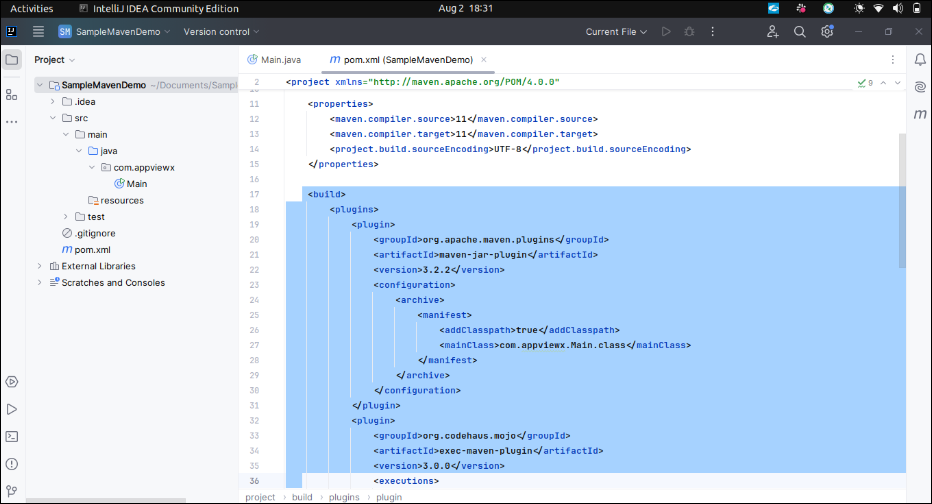
-
Execute the
mvn packagecommand in the command line or through the Maven Command Window in IntelliJ to build and sign the generated JAR file.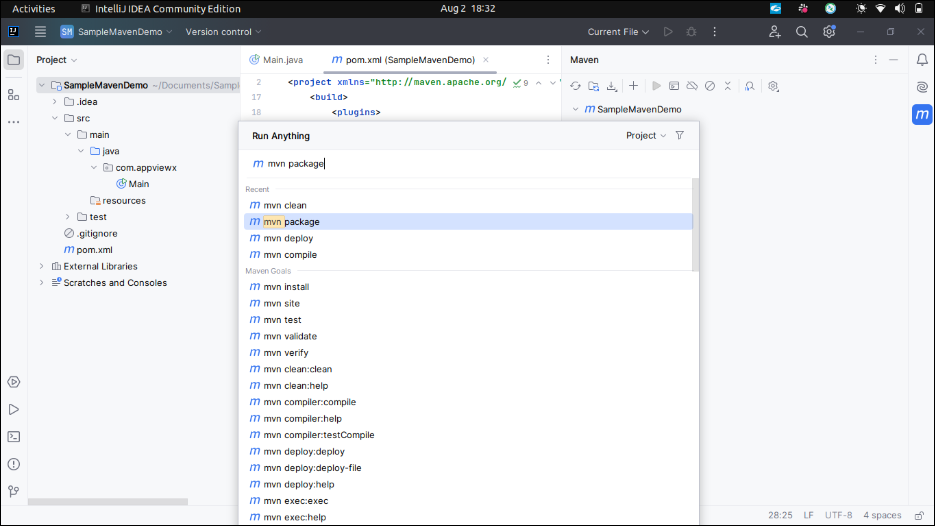
-
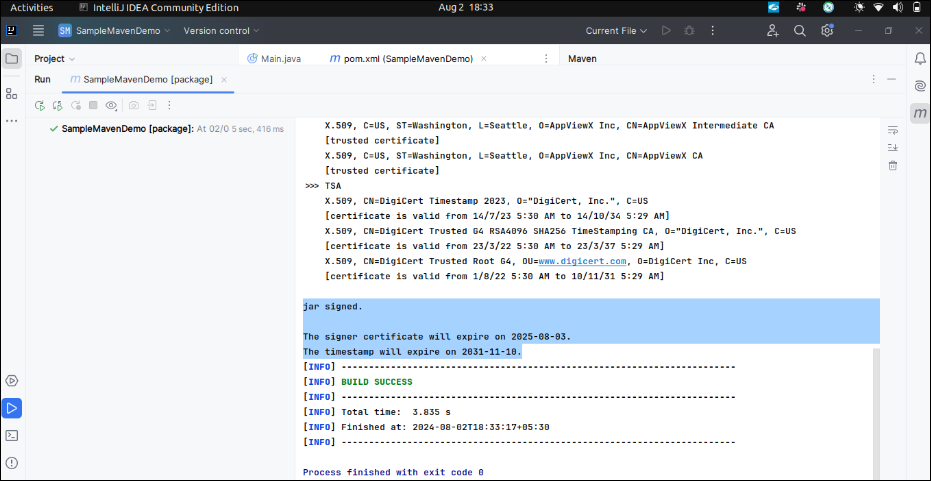
Check the output window or terminal to verify the status of the
build/sign process.
AppViewX PKCS#11 Provider Integration with Gradle Scripts
Prerequisites
- Run the AppViewX SIGN+ Installer to set up the prerequisites for using the AppViewX PKCS#11 Provider with Maven Scripts.
- Ensure Gradle or any supported IDE pre-installed.
Sign
Sample Command Generated in README
Note: The commands generated by the SIGN+_Installer
are not standalone and can only be used in existing Maven/Gradle/Ant
Projects for signing.
task sign(type: Exec, dependsOn: 'jar', description: 'JAR signing using AppViewX PKCS#11 Provider', group: 'Build') {
    def storePassword = "12345678"
    def keyStore = "NONE"
    def storeType = "PKCS11"
    def providerClass = "sun.security.pkcs11.SunPKCS11"
    def providerArg = "/home/admin/AppViewX Sign+/AVXPKCS11V1.cfg"
    def alias = "AppViewX Inc Prod's AppViewX Intermediate CA"
    def tsaURL = "http://timestamp.digicert.com"
    def sigAlg = "SHA256withRSA"
    def signedjarfile = "<output_file_path>"
    def unsignedjarfile = "<input_file_path>"
    commandLine "jarsigner", "-keystore", keyStore, "-storepass", storePassword, "-storetype", storeType,  "-providerClass", providerClass, "-providerArg", providerArg, unsignedjarfile, "-signedjar", signedjarfile, "-tsa", tsaURL, "-sigalg", sigAlg, alias
}
Sample Output
-
Copy the generated README command and paste it into the
build.gradlefile of the relevant project.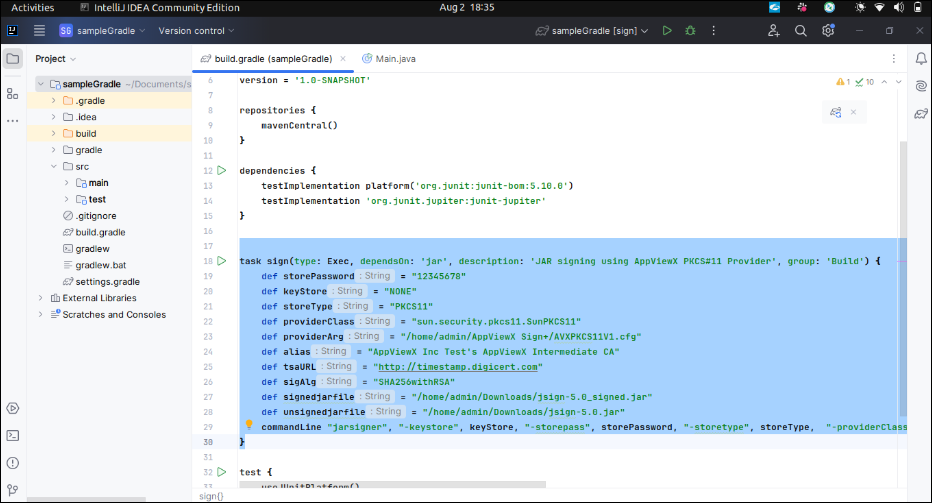 Note: Replace the
<input_file_path>and<output_file_path>in thebuild.gradlefile. -
Run the
signtask from the Gradle menu to execute the script.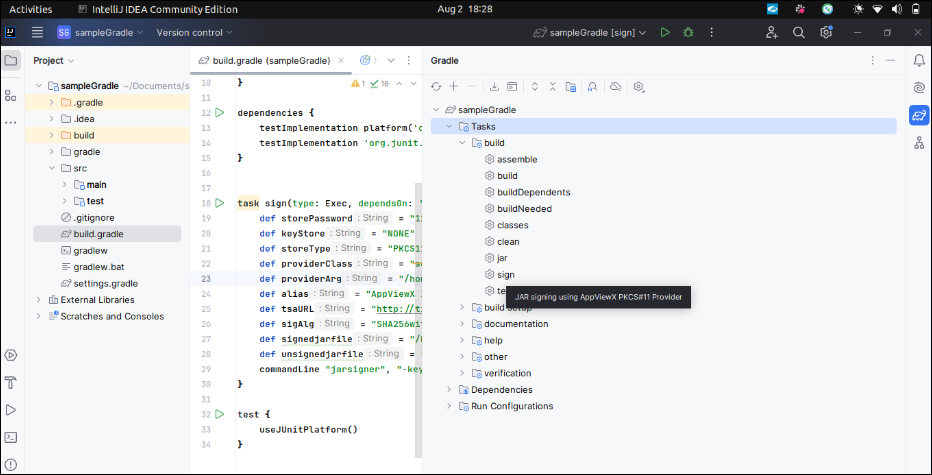
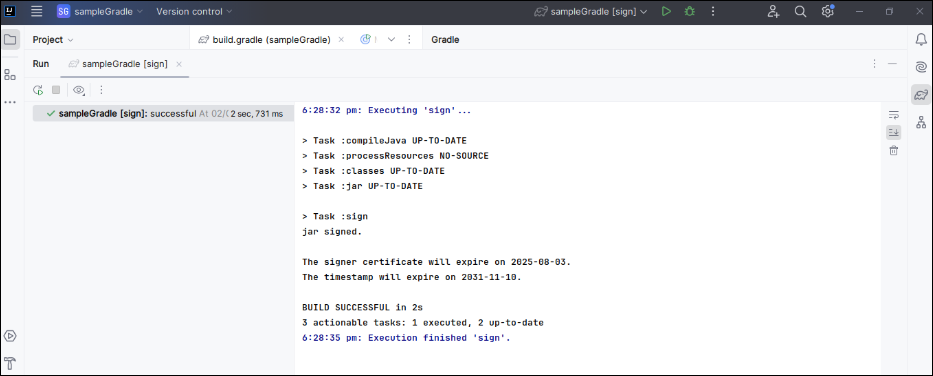
-
Check the output window or terminal to verify the status of the
build/sign process.
AppViewX PKCS#11 Provider Integration with Ant Scripts
Prerequisites
- Run the AppViewX SIGN+ Installer to set up the prerequisites for using the AppViewX PKCS#11 Provider with Maven Scripts.
- Ensure Ant and Eclipse IDE are pre-installed.
Sign
Sample Command Generated in README
Note: The commands generated by the SIGN+_Installer
are not standalone and can only be used in existing Maven/Gradle/Ant
Projects for signing.
<target name="sign" description="JAR signing using AppViewX PKCS#11 Provider">
<exec executable="jarsigner">
<arg line="-verbose -keystore NONE -storetype PKCS11 -certs -providerclass sun.security.pkcs11.SunPKCS11 -providerArg "/home/admin/AppViewX Sign+/AVXPKCS11V1.cfg" -storepass 12345678 input_file_path -signedjar output_file_path -tsa "http://timestamp.digicert.com" -sigalg "SHA256withRSA" "AppViewX Inc Prod's AppViewX Intermediate CA"" />
</exec>
</target>Sample Output
-
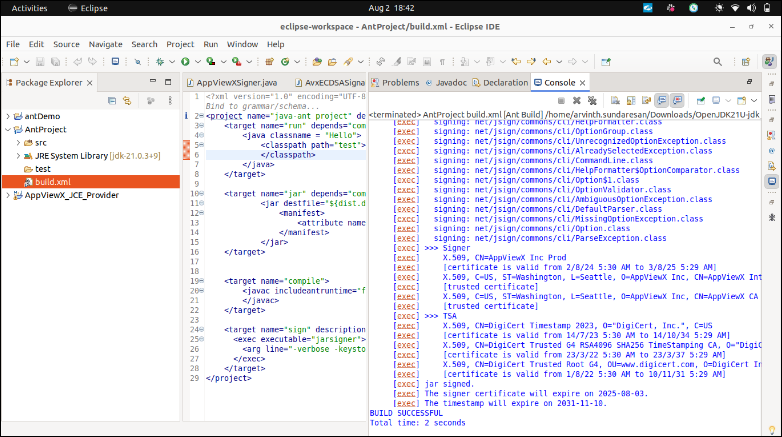
Copy the generated README command and paste it into the
build.xmlfile of the relevant project. -
Modify the
input_file_pathandoutput_file_pathaccording to your requirements.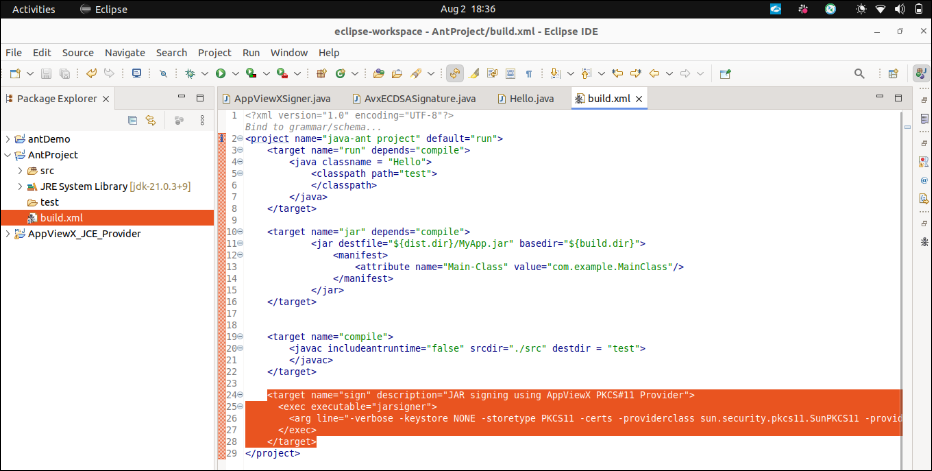
-
Run the
signtask from the Ant window to build and sign the file.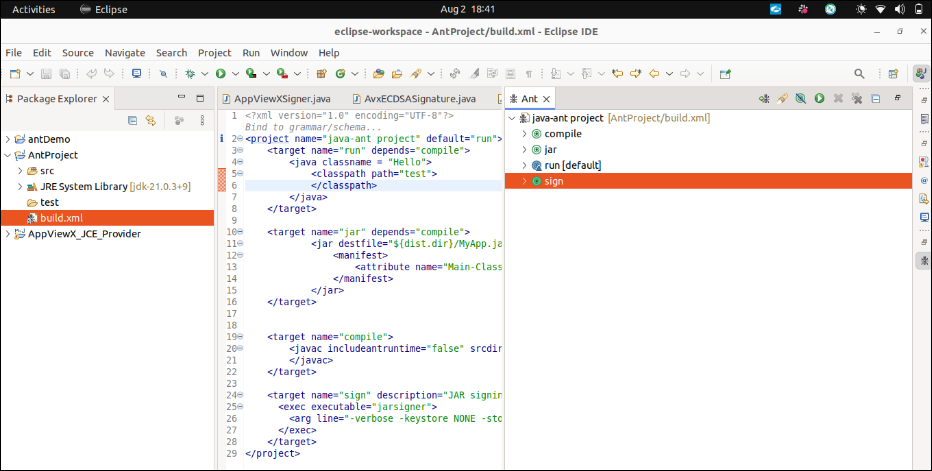
-
Check the output window or terminal to verify the status of the
build/sign process.