Compare ADC Objects 
Comparisons are only possible for F5 ADC objects. Comparisons are also possible for multiple objects. You can select up to 5 devices to compare with the original device you selected.
To compare ADC devices from the Control Center results within the App Search:
-
Go to Menu >
ADC+ > TRAFFIC MANAGEMENT >
App Search.
The Control Center search screen appears.
- Run a search.
By default, the search results are displayed in the
(Application view) page.
-
Click the
 (Select) button
beside each object in the list that you want to use in the
comparison.
(Select) button
beside each object in the list that you want to use in the
comparison.
- Right-click the selected objects and click Compare config from the dropdown list that appears.
-
If you want to compare configurations for the search
results displayed on the infrastructure view, click the
 (Infrastructure
view) button to switch from the Application view search
result page.
(Infrastructure
view) button to switch from the Application view search
result page.
- Select the checkboxes beside the first column of each object you want to use in the comparison and then, navigate to Actions > Compare Config.
-
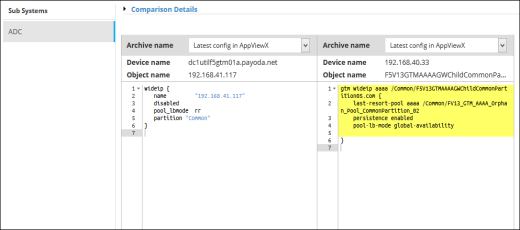
The screen refreshes and displays the archived
configurations side-by-side: