Linking a Repository
- Go to the Source Control page.
- On the Source Control page, select the integration type as GitLab.
- Select the connection type as HTTPS or SSH.
- For HTTPS, enter the valid credentials along with the HTTPS clone URL.
-
For SSH, enter the valid private key corresponding to the public key and
SSH clone URL.
Note: Prerequisite for SSH - Public key is to be added to the remote user account.
- From the Branches dropdown, select master.
-
Click Next.
All available workflows, tasks and subflows in the remote repository are displayed.
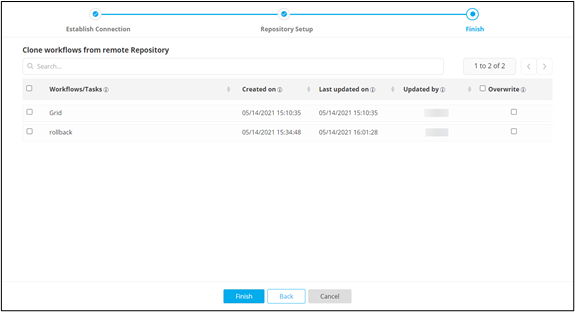
- Select the workflows to be cloned and click Finish.
-
In the Confirmation pop-up window, click Yes.
- Cloned tasks and subflows are added to Source Control Directory and
Workflows to the inventory. The connected workflows reflect the Source
Control
 logo .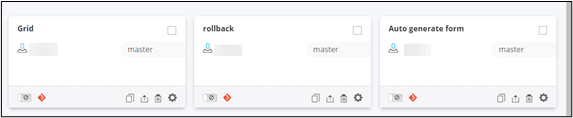
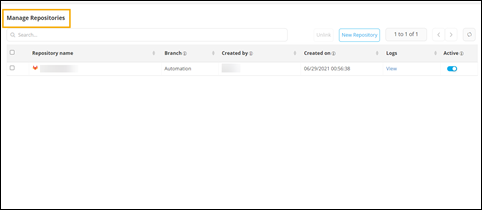
- Cloned Repository is added to the Manage Repositories page.
- Cloned tasks and subflows are added to Source Control Directory and
Workflows to the inventory. The connected workflows reflect the Source
Control