Creating OCSP Signing Certificate
To create an OCSP signing certificate:
-
Go to CERT+ > Certificate Action > Enroll Certificate.
The Enroll Certificate page is displayed.
- Select the Certificate Authority as AppViewX PKIaaS.
- Select the Certificate Profile as OcspSigning.
-
Fill out the other fields as explained in the Section, Adding/Enrolling Certificate.
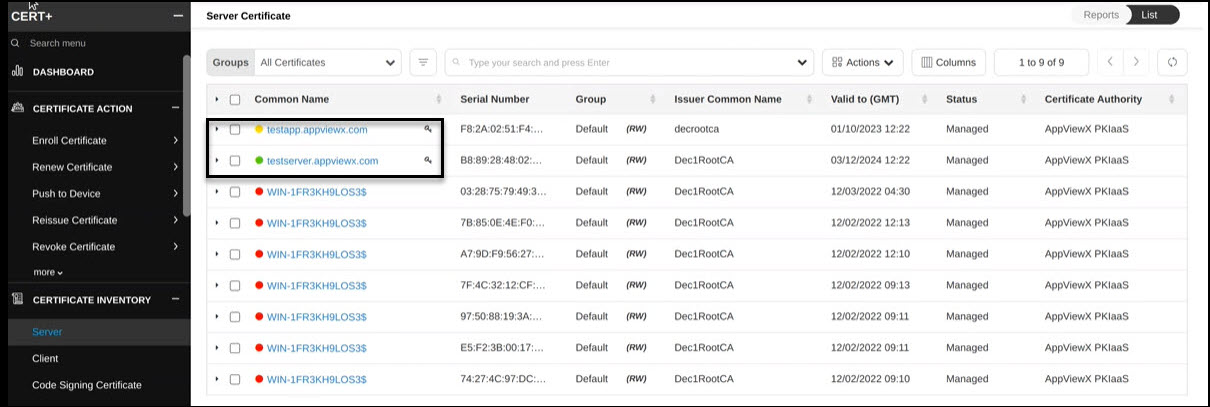
The OCSP signing certificate appears on the CERT+ > Certificate Inventory > Server page as shown with a key symbol beside the common name.