Unassign Certificate from a Group
-
Go to
 (Menu) > SIGN+.
-
Under the CERTIFICATE INVENTORY, select Code Signing.
The Code Signing Certificate inventory is displayed.
- Click List button on the upper right of the Code Signing Certificate inventory screen.
- Click Groups drop-down and select a Group from the drop-down.
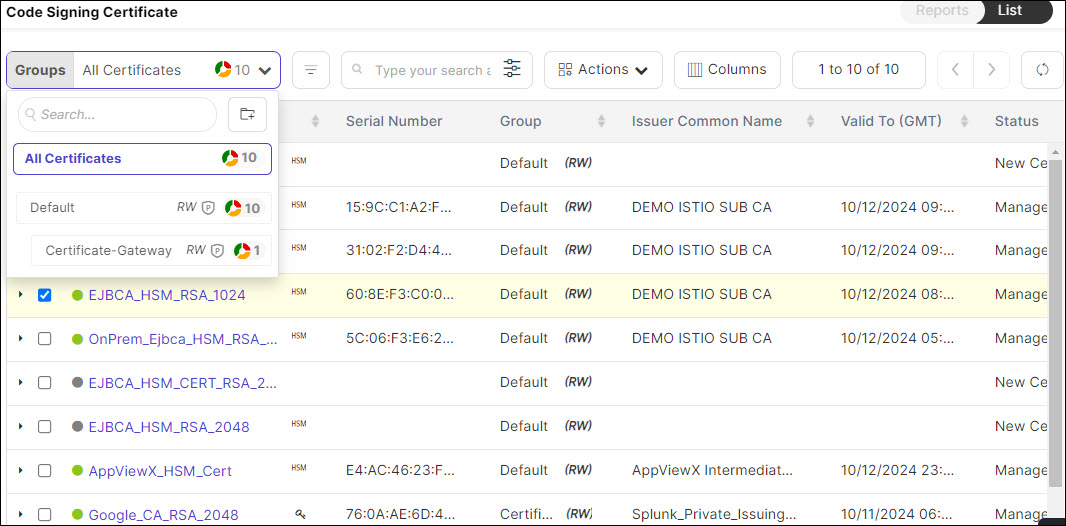
- Select the check box against the certificate you want to unassign from the group.
- Click Actions drop-down and select the Unassign Group option from the
drop-down.
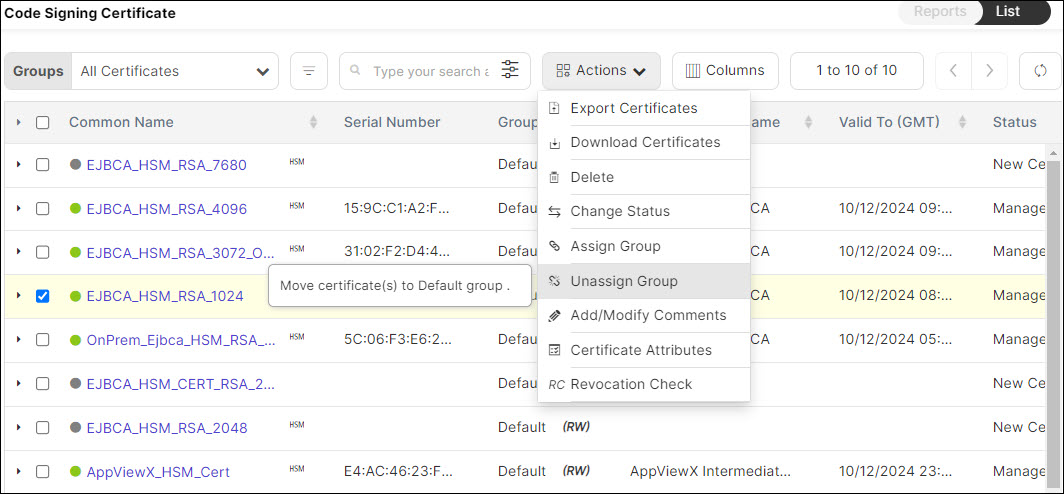
- The certificate is unassigned from your Group and automatically assigned to the Default Group.
- Certificates should always be assigned to a group to ensure compliance with the policy.
- When a certificate is unassigned from a group, it will automatically be assigned to the Default Group, ensuring compliance with the Default Policy.