In the Manage Plugins page, you will see two sections: Installed and
Available. You will be directed to the Installed section by
default.
You can click Available to view the list of plugins that are not
installed currently, but offered by AppViewX.
In the section you will find a list of plugins with details such as Plugin
Name, Description, Running Version, and Latest Version. There is also a search
bar to search for a particular plugin.
To view the changelog click near the
respective plugin.
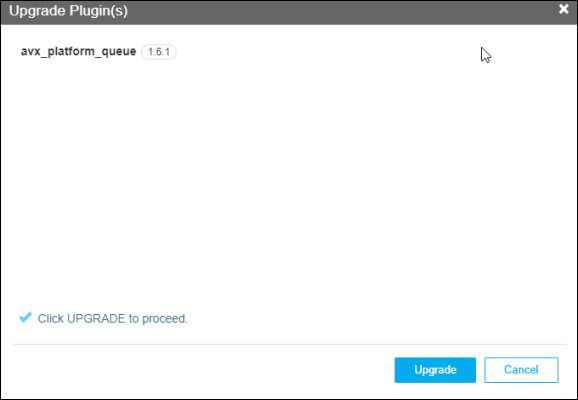
To upgrade the plugin to the latest version, you can click near the respective plugin.
Click Upgrade again when the following screen appears:
 and select System > Plugins
Manager.
and select System > Plugins
Manager.
 near the
respective plugin.
near the
respective plugin.
 near the respective plugin.
 to refresh the current list of plugins.