Settings
-
To view the Update Center you can click the Settings icon in the top
right corner of the screen.
The following screen appears:
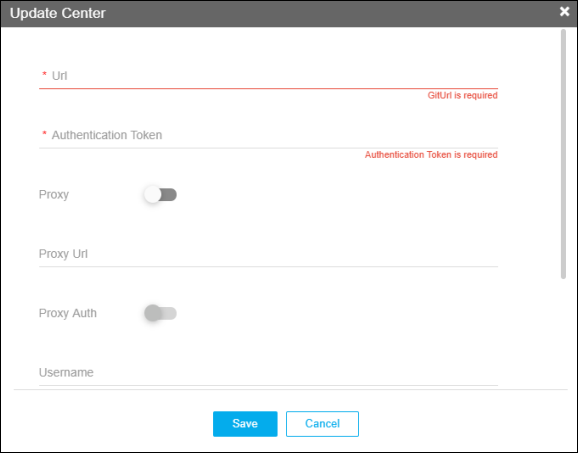
- Enter the URL and the Authentication Token after receiving the details from the AppViewX support. These details are mandatory inputs.
- You can enable Proxy if you do not have a direct internet connection. If that proxy server requires authentication, enable the Proxy Authentication. You can enter the credentials in the respective fields and click Save.
- You also have the option to select the Sync Time which is the interval where AppViewX checks the existing list of plugins for the latest version available. You can choose between daily, weekly, monthly, and yearly.